

Authentication settings: social login and one-time passwords
Where: Settings > General Settings > Authentication
Who can use it: Sidebar permission: settings.view or manage settings. No plan or add-on is needed.
Open this page in SureTill
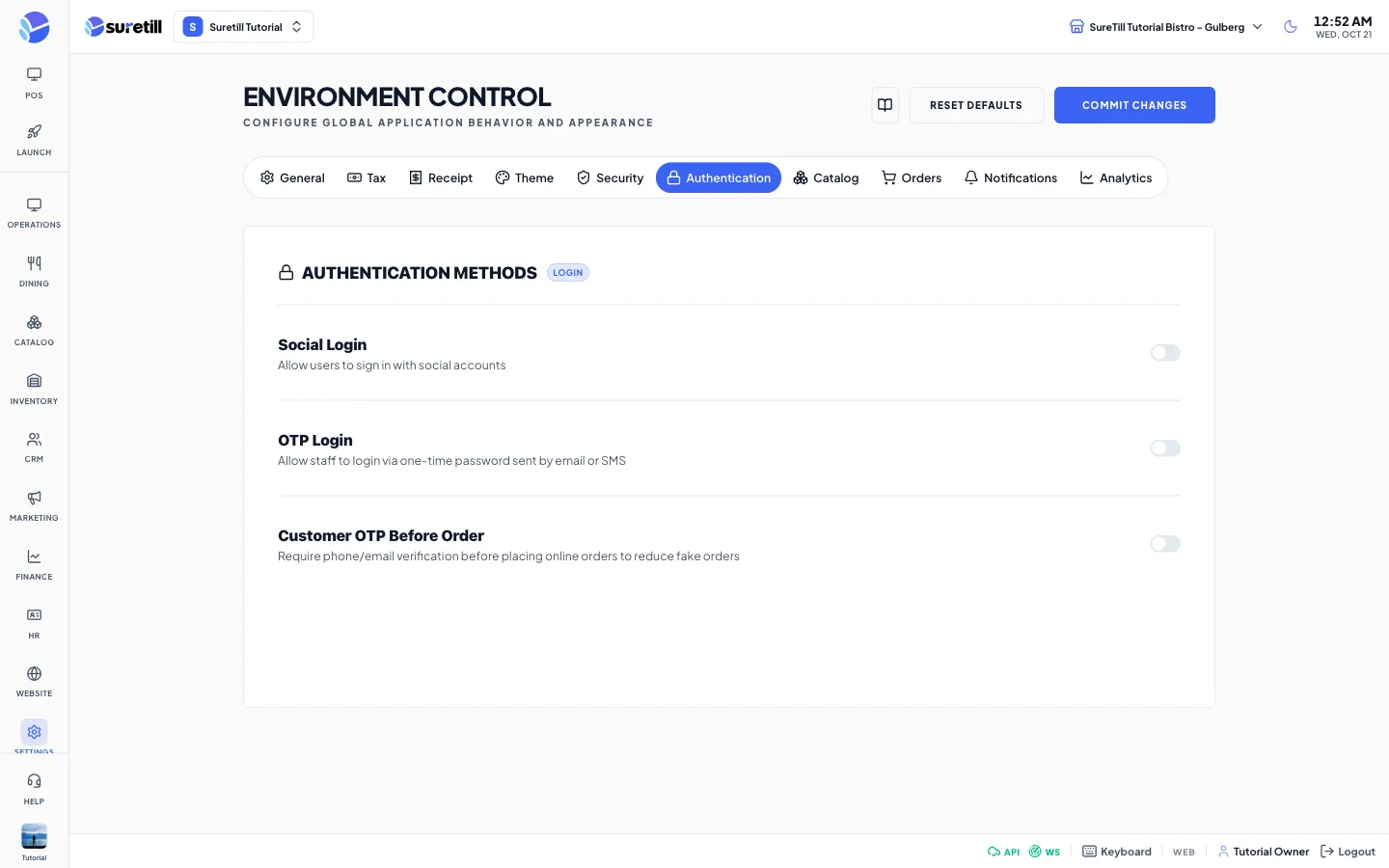
The Authentication tab is titled Authentication Methods. It has three sections: Social Login, OTP Login and Customer OTP Before Order. The values are stored when you press Commit Changes.
Step by step: turn on Google sign-in
Section titled “Step by step: turn on Google sign-in”- Create an OAuth client in the Google Cloud console (console.cloud.google.com) and copy its Client ID and Client Secret.
- Open Settings > General Settings and click the Authentication tab.
- Turn on Social Login, then turn on the Google switch.
- Paste the Client ID and the Client Secret.
- Click Commit Changes.
Facebook (developers.facebook.com) and Apple (developer.apple.com) work the same way with their own fields.
Step by step: let staff sign in with a one-time password
Section titled “Step by step: let staff sign in with a one-time password”- Turn on OTP Login.
- Choose the Delivery Method, the OTP Expiry and the OTP Length.
- If you use SMS, set up an SMS gateway in Integrations > SMS Gateways first.
- Click Commit Changes.
Step by step: verify customers before an online order
Section titled “Step by step: verify customers before an online order”- Turn on Customer OTP Before Order.
- Choose the Verification Method: SMS, Email or SMS + Email.
- Click Commit Changes.
Every setting explained
Section titled “Every setting explained”| Setting | What it does |
|---|---|
| Social Login | Master switch. The provider cards appear only when it is on. Default: off. |
| Switch. When on, shows the fields Client ID and Client Secret (password field). Default: off. | |
| Switch. When on, shows App ID and App Secret (password field). Default: off. | |
| Apple | Switch. When on, shows Service ID and Client Secret (JWT), a password field. Default: off. |
| OTP Login | Switch. Allows staff to sign in with a one-time password sent by email or SMS. The settings below appear only when it is on. Default: off. |
| Delivery Method | Email Only, SMS Only or Email + SMS. Default: Email Only. |
| OTP Expiry (minutes) | A number from 1 to 30. Default: 5. |
| OTP Length | 4, 6 or 8 digits. Default: 6 digits. |
| Customer OTP Before Order | Switch. Asks customers to verify their phone or email before they place an online order, to reduce fake orders. Default: off. |
| Verification Method | SMS, Email or SMS + Email. Default: SMS. |