

Ticket Types
Where: Settings > Ticket Types
Who can use it: Sidebar permission: settings.update or manage settings.
Open this page in SureTill
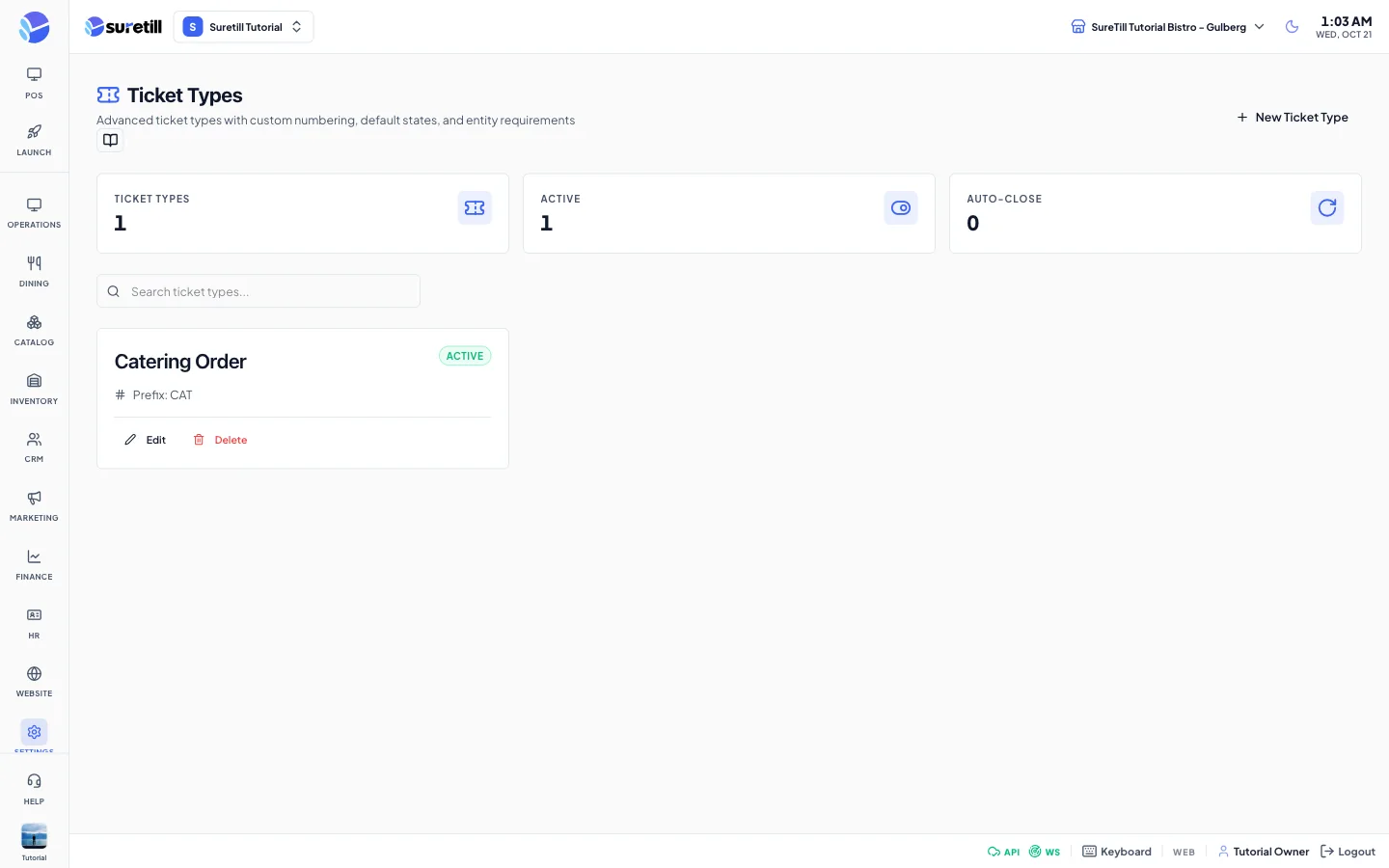
A ticket type is a profile for a kind of ticket. The page shows three counters: Ticket Types, Active and Auto-Close. Each card shows the name, an Active or Inactive badge, the prefix, Auto-close enabled and the number of required entities when they are set.
Step by step: create a ticket type
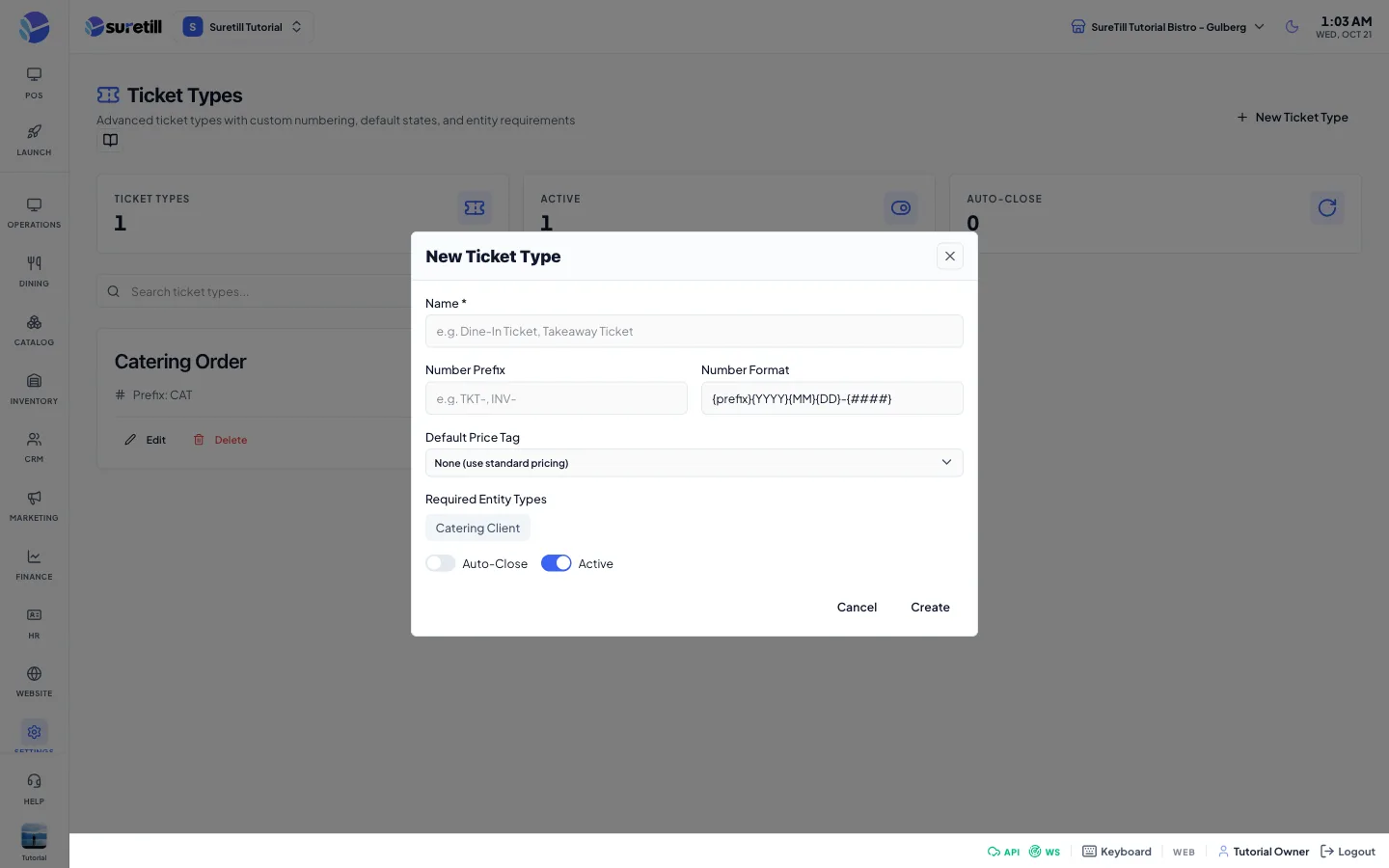
Section titled “Step by step: create a ticket type”- Open Settings > Ticket Types and click New Ticket Type.
- Type the Name, for example Dine-In Ticket.
- Type the Number Prefix, for example TKT-, and keep or change the Number Format.
- Choose a Default Price Tag, or None to use standard pricing.
- Click the entity types that the ticket must have.
- Set Auto-Close and Active, then click Create.
Step by step: edit or delete
Section titled “Step by step: edit or delete”- Click Edit on the card, change the fields and click Update.
- Click Delete and confirm to remove a ticket type.
Every setting explained
Section titled “Every setting explained”| Setting | What it does |
|---|---|
| Search box | Filters the cards by name. |
| Name | Required. Up to 255 characters. The system makes a unique short name from it for internal use. |
| Number Prefix | Up to 20 characters. Example: TKT- or INV-. |
| Number Format | Up to 50 characters. Default: {prefix}{YYYY}{MM}{DD}-{####}, which stands for the prefix, year, month, day and a four-digit counter. |
| Default Price Tag | None (use standard pricing), or one of your price tags. |
| Required Entity Types | Chips for every entity type you created. Click to select or clear. This block appears only when at least one entity type exists. |
| Auto-Close | Switch. Default: off. |
| Active | Switch. Default: on. |