

Salary Advances
Where: HR > Salary Advances
Who can use it: Menu: payroll.view, users.view or manage users. On the server this page belongs to the HR area, so it needs staff.view to look and staff.manage_attendance to change anything. Owners, admins and super-admins can do everything. Not available on SureScreen plans.
Open this page in SureTill
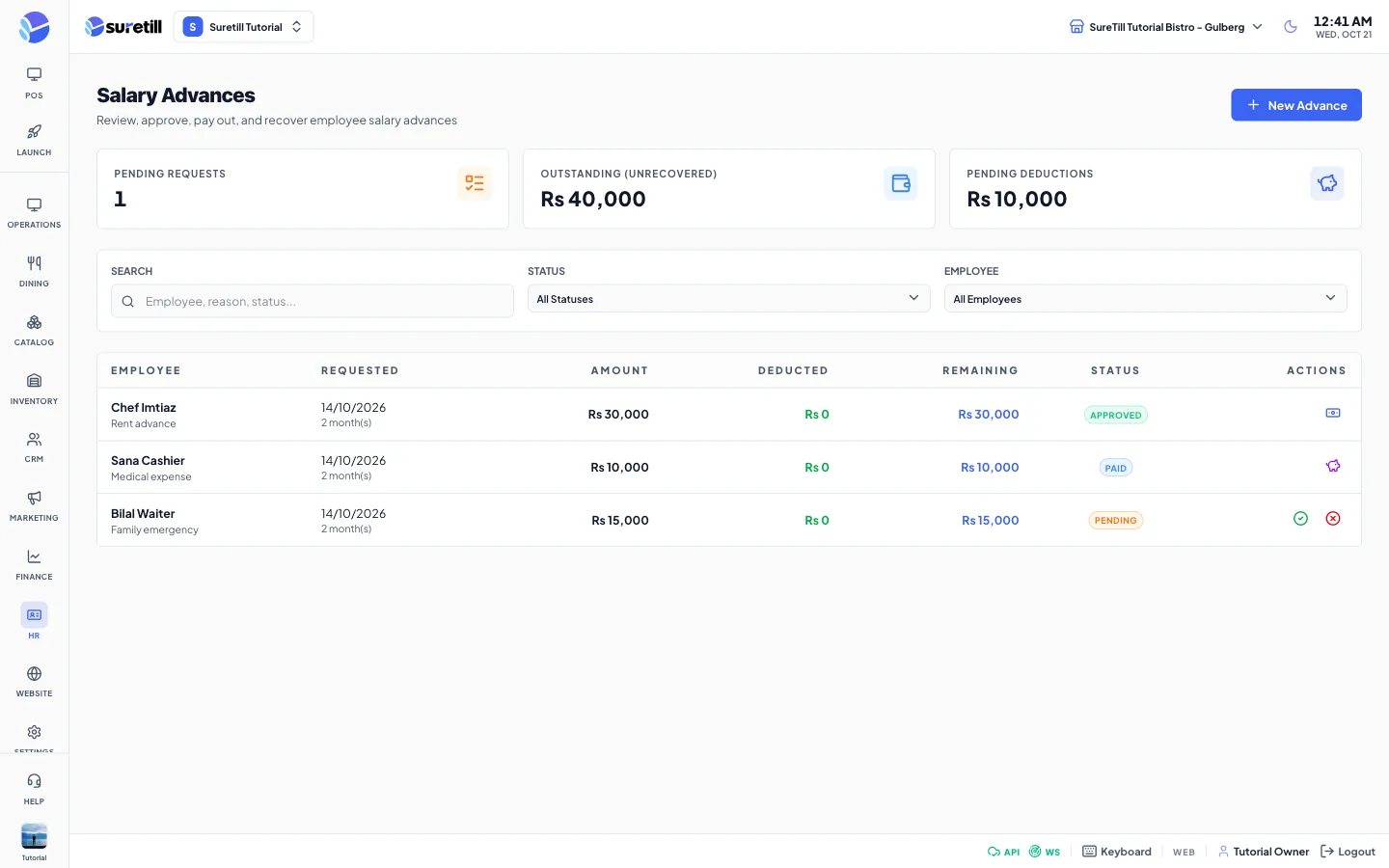
A salary advance is money you give an employee before pay day and take back later. Each advance goes through four steps: it is requested (Pending), approved (Approved), paid out (Paid) and, as you recover it, deducted (Deducted). A request can also be rejected.
Step by step
Section titled “Step by step”Create an advance for an employee
Section titled “Create an advance for an employee”- Click New Advance.
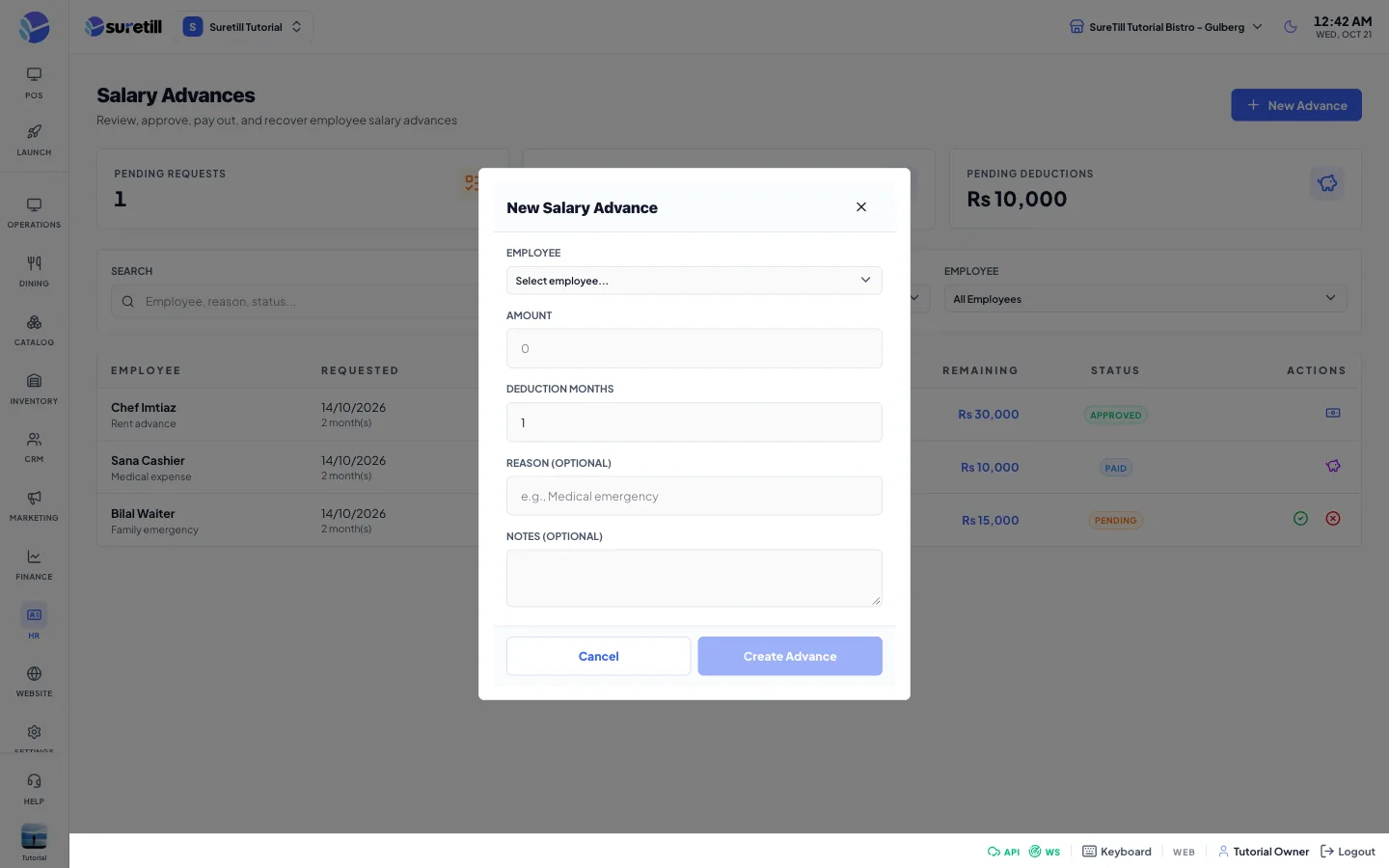
- Choose the Employee and type the Amount (at least 1).
- Set Deduction Months, from 1 to 12. The advance is meant to be recovered in equal installments over that many months.
- Optionally add a Reason and Notes, then click Create Advance. The advance starts as Pending.
Approve or reject
Section titled “Approve or reject”- Find a Pending row. Click the green tick to approve it. There is no confirmation question.
- Or click the red cross, type the Rejection Reason (required, up to 500 characters) and click Reject.
Mark as paid
Section titled “Mark as paid”- On an Approved row click the payments icon.
- Choose the Payment Method: Cash, Bank Transfer or Check.
- Optionally type a Payment Reference (up to 100 characters) and click Mark as Paid.
Record a deduction
Section titled “Record a deduction”- On a Paid row click the savings icon. The Deduction Amount is filled with the full remaining balance.
- Change the amount if you only took back a part. It must be 0.01 or more.
- Click Record Deduction. The Deducted column grows. The status becomes Deducted when the whole amount has been recovered.
Every setting explained
Section titled “Every setting explained”| Setting | What it does |
|---|---|
| Pending Requests | Number of advances in the list with the status Pending. |
| Outstanding (unrecovered) | Amount minus deducted amount, added up for Approved and Paid advances. |
| Pending Deductions | Total still to recover on Paid advances, with the number of those advances. |
| Search | Looks in the employee name, the reason and the status. |
| Status filter | All Statuses, Pending, Approved, Paid, Deducted or Rejected. |
| Employee filter | Show the advances of one employee. |
| Employee column | Name and, under it, the reason. |
| Requested column | Date of the request and the number of deduction months. |
| Amount, Deducted, Remaining | The advance, what has been recovered and what is left. |
| Status badge | PENDING, APPROVED, PAID, DEDUCTED or REJECTED. Rejected and Deducted rows show No actions. |
| New Advance form | Employee, Amount, Deduction Months (1 to 12, default 1), Reason (optional, up to 500 characters) and Notes (optional). |
| Reject form | Rejection Reason. The button stays disabled while the box is empty. |
| Mark as Paid form | Payment Method (default Cash) and an optional Payment Reference. |
| Record Deduction form | Deduction Amount. A hint shows the maximum recoverable amount. |