Where: Operations > Delivery Who can use it: Permission delivery.view or delivery.assign_rider. The Delivery feature must be on for the branch (it is on by default for restaurants and off for retail shops). Open this page in SureTill
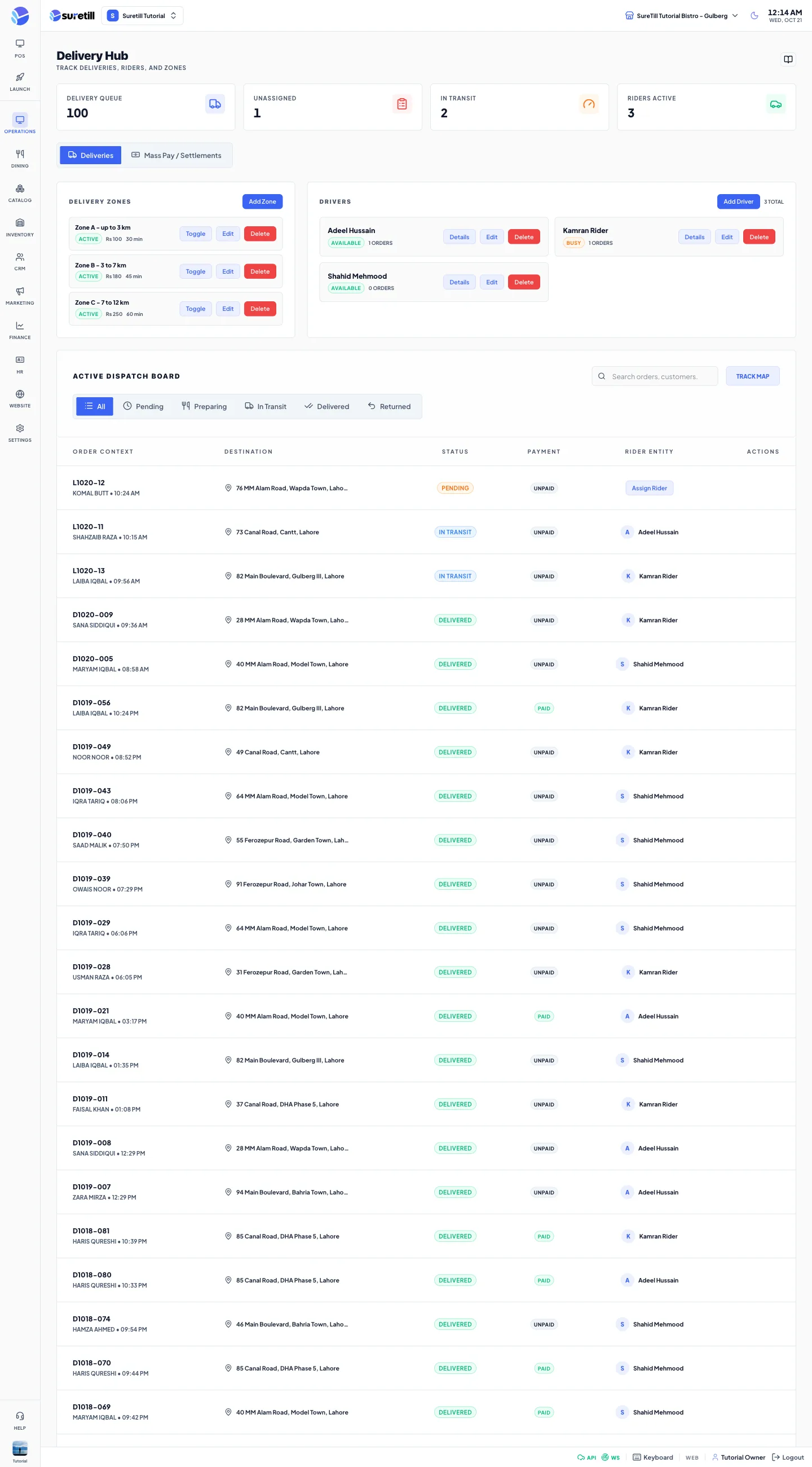
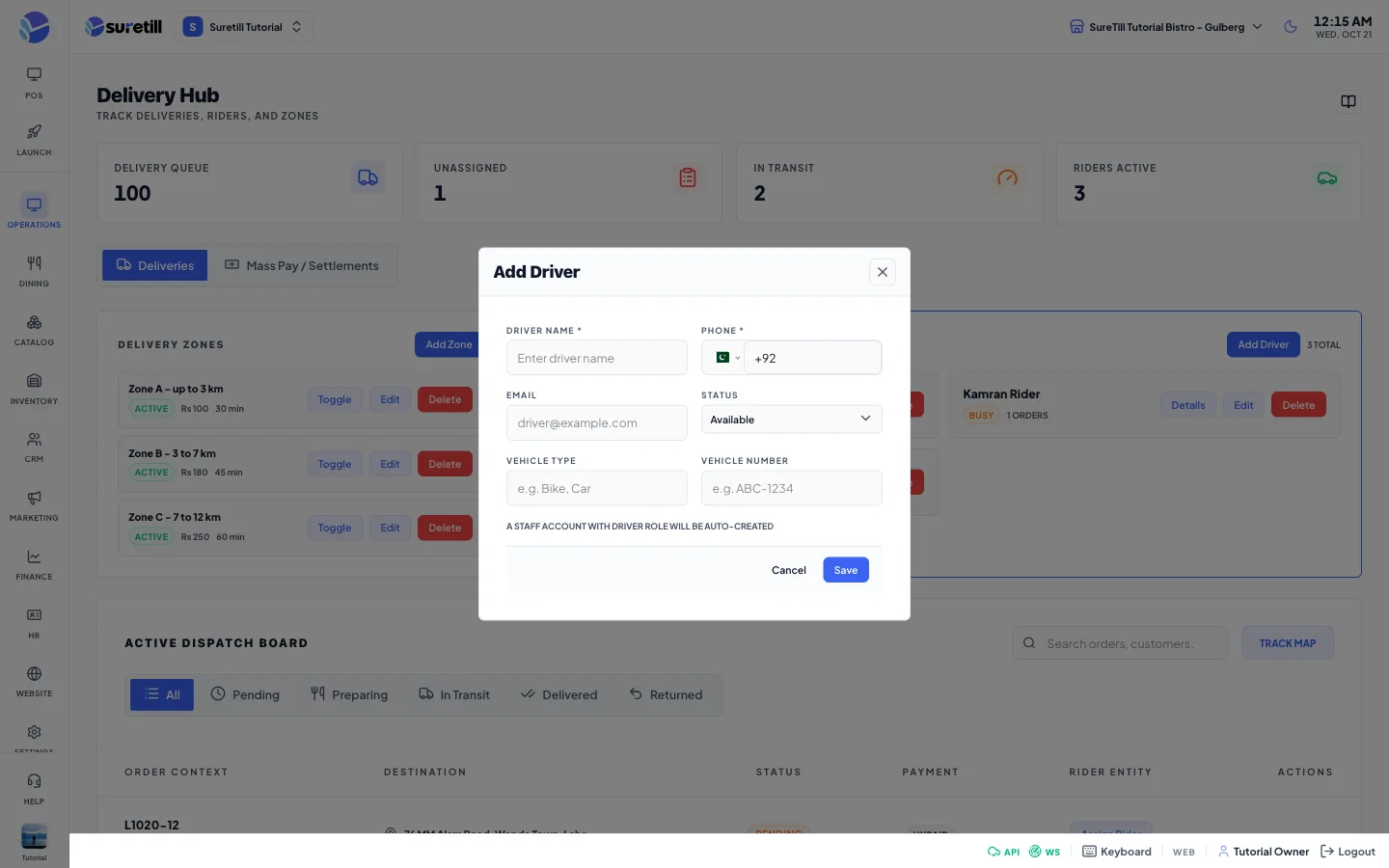
Every order of type delivery gets a delivery record. This page lists those records, lets you give each one to a rider, and moves it from Pending to Delivered. Zones set the fee, minimum order and time for your website. Drivers are your riders. The second tab, Mass Pay / Settlements, is the Rider Settlement screen.
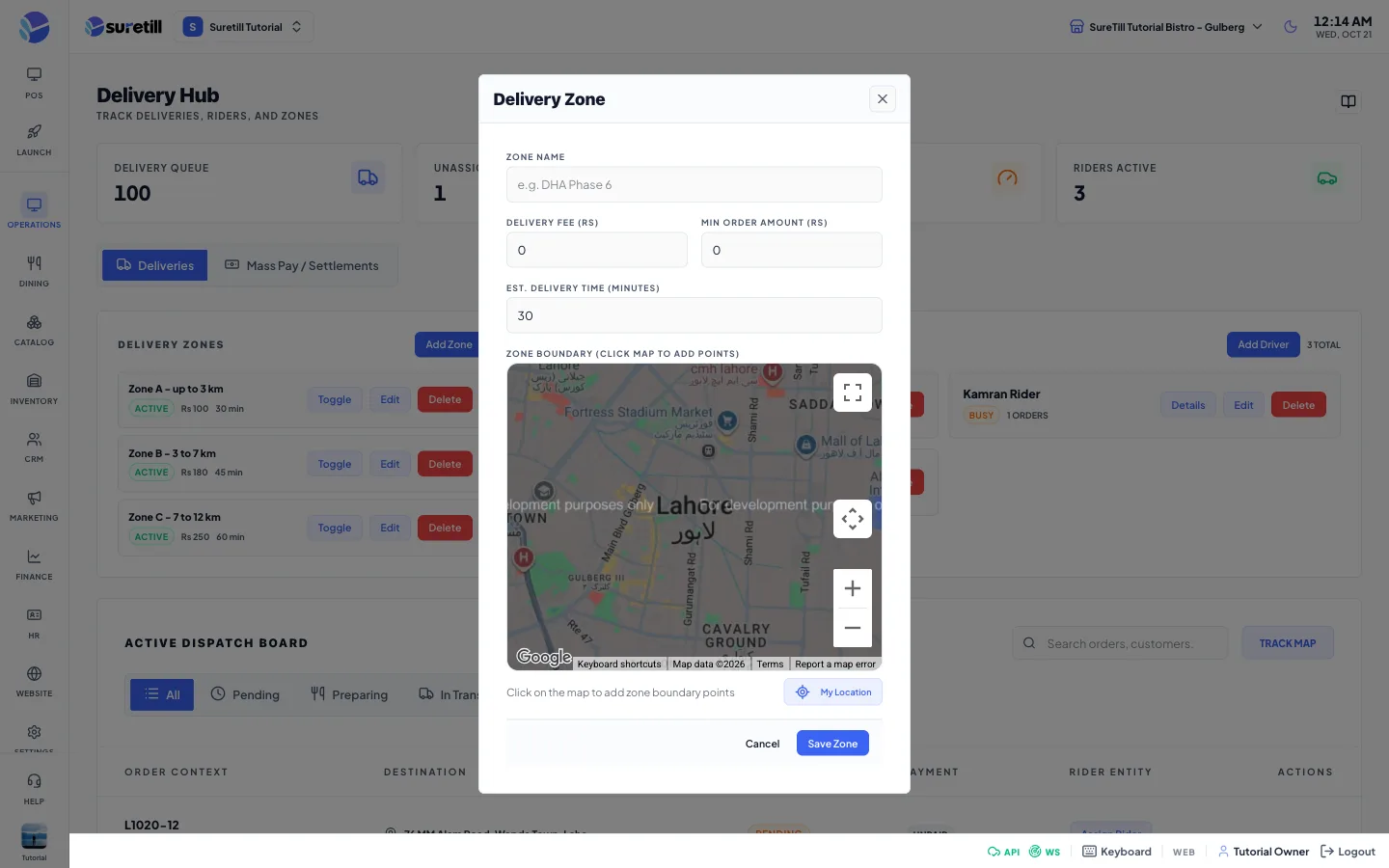
Set Delivery Fee, Min Order Amount and Est. Delivery Time (minutes).
On the map click to place the corners of the area. At least 3 points make a polygon. Drag a numbered marker to adjust. Use Undo to remove the last point, Clear to remove all, and My Location to centre the map on you.
All, Pending, Preparing, In Transit, Delivered, Returned.
Search
Finds by order number, customer, address or rider.
Order Context
Order number, customer and time.
Destination
Delivery address.
Status
Pending, Preparing, In Transit (assigned or picked up), Delivered or Returned.
Payment
Paid or Unpaid.
Rider Entity
The rider, or the Assign Rider button.
Print icon
Appears when you point at a row. Prints the bill.
Order Dispatch window
Status, payment, value, address, recipient, a route map from your branch to the customer when coordinates exist (otherwise a map of the address), distance, estimated time, rider, Lifecycle Events and Basket Items. Maps need an internet connection.