

Import your menu from a spreadsheet
Where: Setup wizard > Step 3 Your menu > Import from a spreadsheet
Who can use it: Owner, super-admin, admin and manager roles (the same as the setup wizard). Cloud only.
Open this page in SureTill
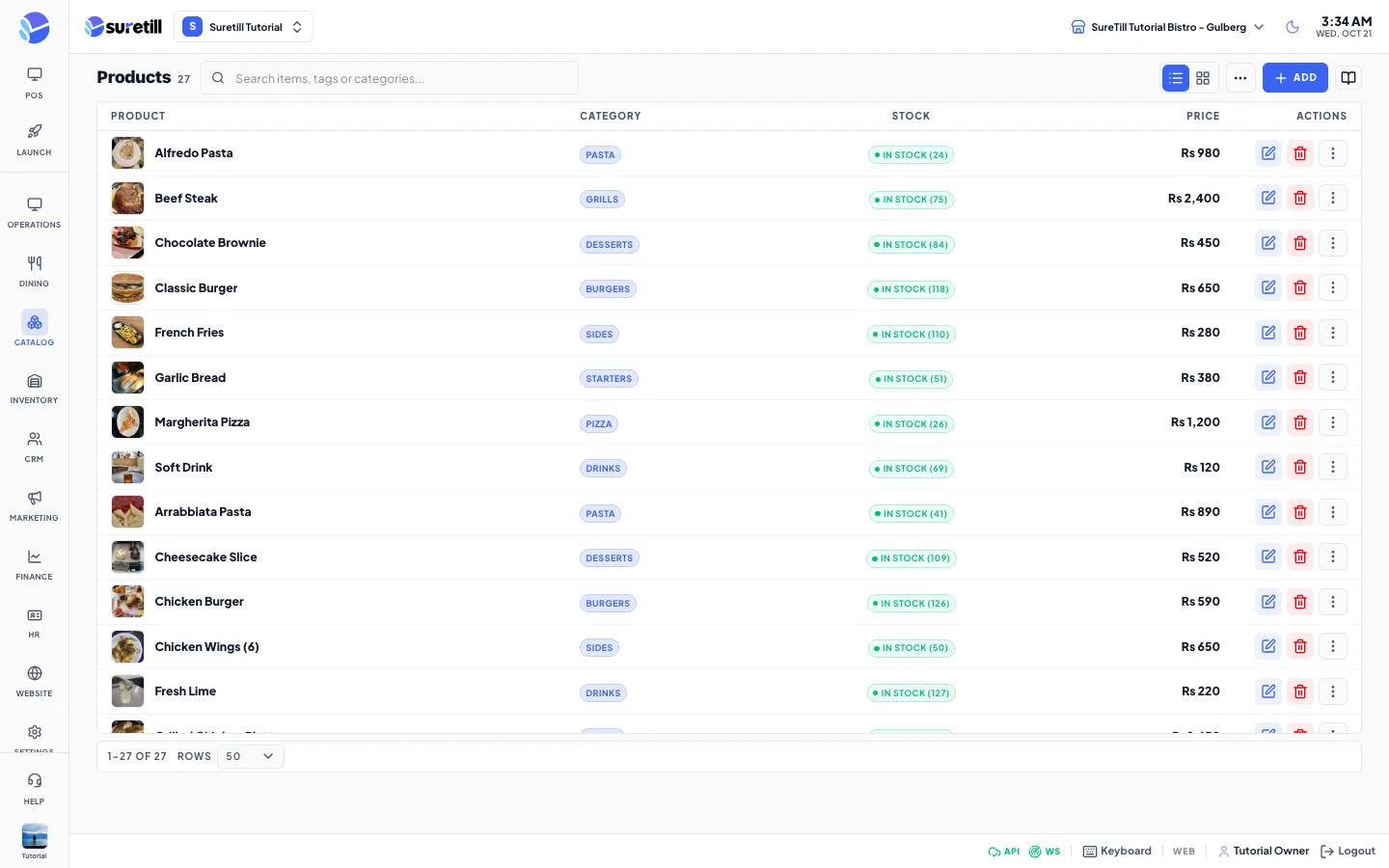
The import reads a spreadsheet in your browser, then sends the items to your restaurant in batches of 500. You get your categories and products without typing them one by one.
Step by step
Section titled “Step by step”- Prepare your file. Click Download the template in the wizard to get a CSV example, or build your own with a header row.
- Open the setup wizard (Launch Pad > Setup > Guided setup) and go to Step 3, Your menu.
- Click Import from a spreadsheet.
- Click Choose Excel or CSV file and pick your file.
- Read the green line: file name, then N items found in M categories. If something is wrong you see a red message instead. Fix the file and choose it again.
- Click Continue. The wizard sends the items and shows a message such as 42 items imported, 3 skipped.
- Open Products to check names, prices and categories.
The file format
Section titled “The file format”- File types: Excel .xlsx (the first sheet is read) or CSV. Old .xls files are refused with a message asking you to save as .xlsx or CSV.
- CSV separators: comma, semicolon or tab. The importer picks the one used most on the first line, so Excel exports from countries that use semicolons work. Quoted cells and doubled quotes are handled.
- Size: up to 2,000 items per file. A bigger file is refused with That file has N items. Import up to 2000 at a time. Split it and import twice.
- Header row: it does not have to be line 1. The importer looks at the first 10 non-empty rows and uses the first one that has both a name column and a price column. Title lines above it are ignored.
- Extra columns are ignored. Empty rows are ignored.
- Category: leave it empty to repeat the category of the row above. Name the category once and list its items below. If the very first rows have no category, the items go to a category called Menu.
Every column explained
Section titled “Every column explained”| Column | What it does |
|---|---|
| name (required) | The item name, up to 255 characters. Header words accepted: name, item, product, item name, product name, menu item, dish, title. |
| price (required) | The selling price. Header words accepted: price, amount, cost, rate, unit price, selling price, sale price. Rounded to 2 decimals. Must be zero or more. |
| category (optional) | Category name, up to 100 characters. A category is created if it does not exist. Header words accepted: category, category name, section, group, menu, type. |
| description (optional) | Up to 1,000 characters. Header words accepted: description, details, desc, ingredients. |
| sku (optional) | Your own code, up to 100 characters. Header words accepted: sku, code, item code, product code, barcode. If the code already exists on another product, the item is still imported without a code. |
Header matching ignores capital letters, underscores, dashes and extra spaces, so Item_Name, item-name and ITEM NAME all work. If two columns match the same field, the first one is used.
How prices are cleaned
Section titled “How prices are cleaned”| You type | The importer reads |
|---|---|
| 650 | 650 |
| Rs 1,250.50 | 1250.50 |
| $6.50 | 6.50 |
| 12,50 | 12.50 (comma with one or two digits after it is a decimal comma) |
| 1.250,50 | 1250.50 (the symbol that comes last is the decimal mark) |
| 1,250 | 1250 (comma with three digits after it is a thousands mark) |
Currency symbols and letters are removed. The number is stored as is, in the currency you chose at sign-up. Do not use a price of text such as Market price: the row is skipped with a price error.
What happens to each row
Section titled “What happens to each row”- A row with no name, or a price that is not a number, is skipped.
- A row whose name already exists in the same category on your branch is skipped. Running the same file twice therefore does not create duplicates.
- Every imported item is active and available on the POS straight away.
- The result message counts imported items and skipped rows together, so 42 items imported, 3 skipped means 3 rows were not added.
The template
Section titled “The template”The download is named suretill-menu-template.csv. It holds this header and three example rows:
- category,name,price,description,sku
- Burgers,Classic Burger,650,“Beef patty, cheddar, lettuce”,BRG-001
- Burgers,Chicken Burger,590,Crispy chicken and mayo,BRG-002
- Drinks,Fresh Lime,220,With mint,DRK-001