

Price Tags
Where: Settings > Price Tags
Who can use it: Permission settings.update or manage settings.
Open this page in SureTill
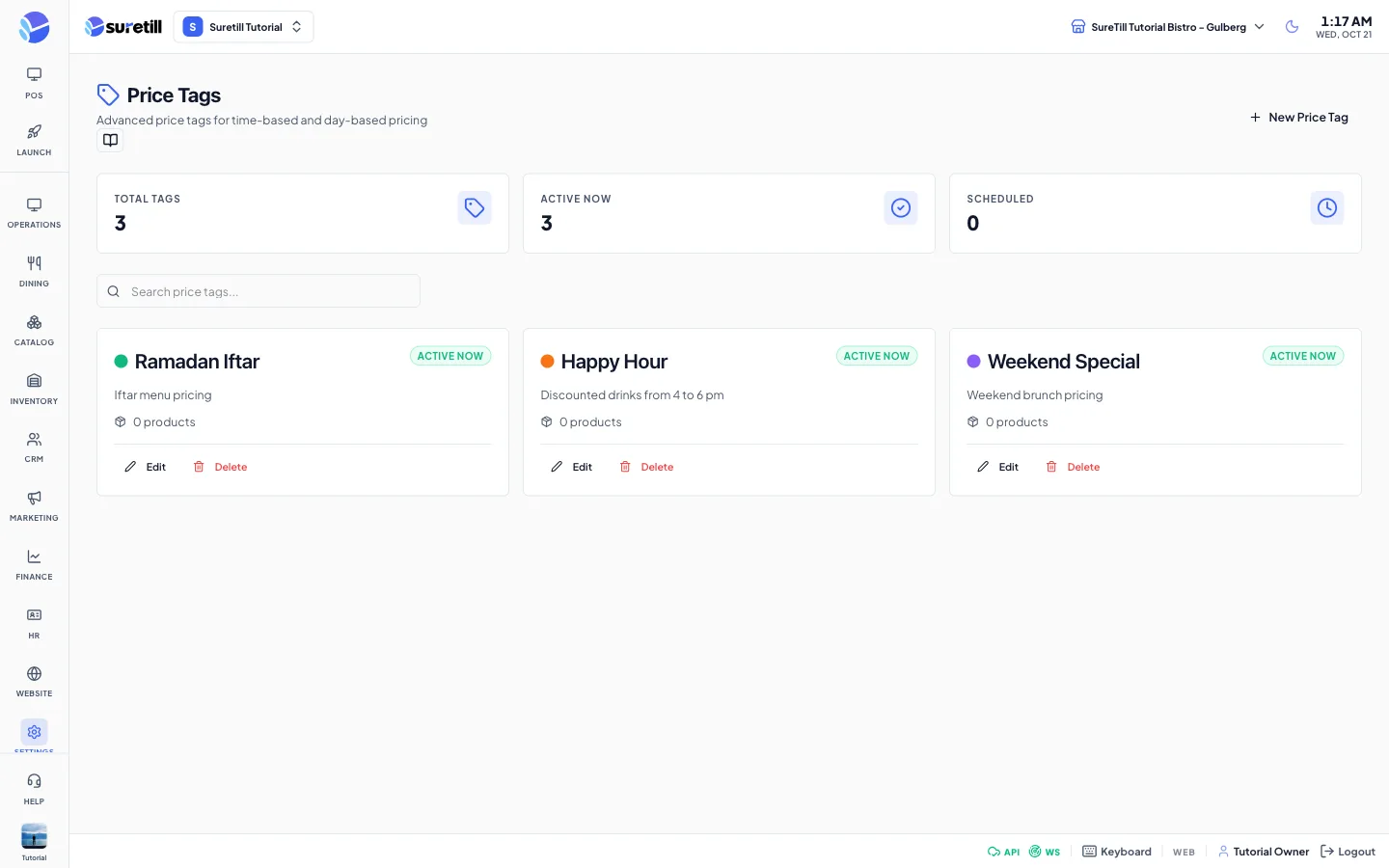
A price tag is a label for a pricing period, for example Happy Hour from 16:00 to 18:00 on weekdays. The page lets you create these tags and set when each one is in force. Each card shows whether the tag is Active Now, Scheduled or Inactive, based on the time on your device.
Step by step: create a price tag
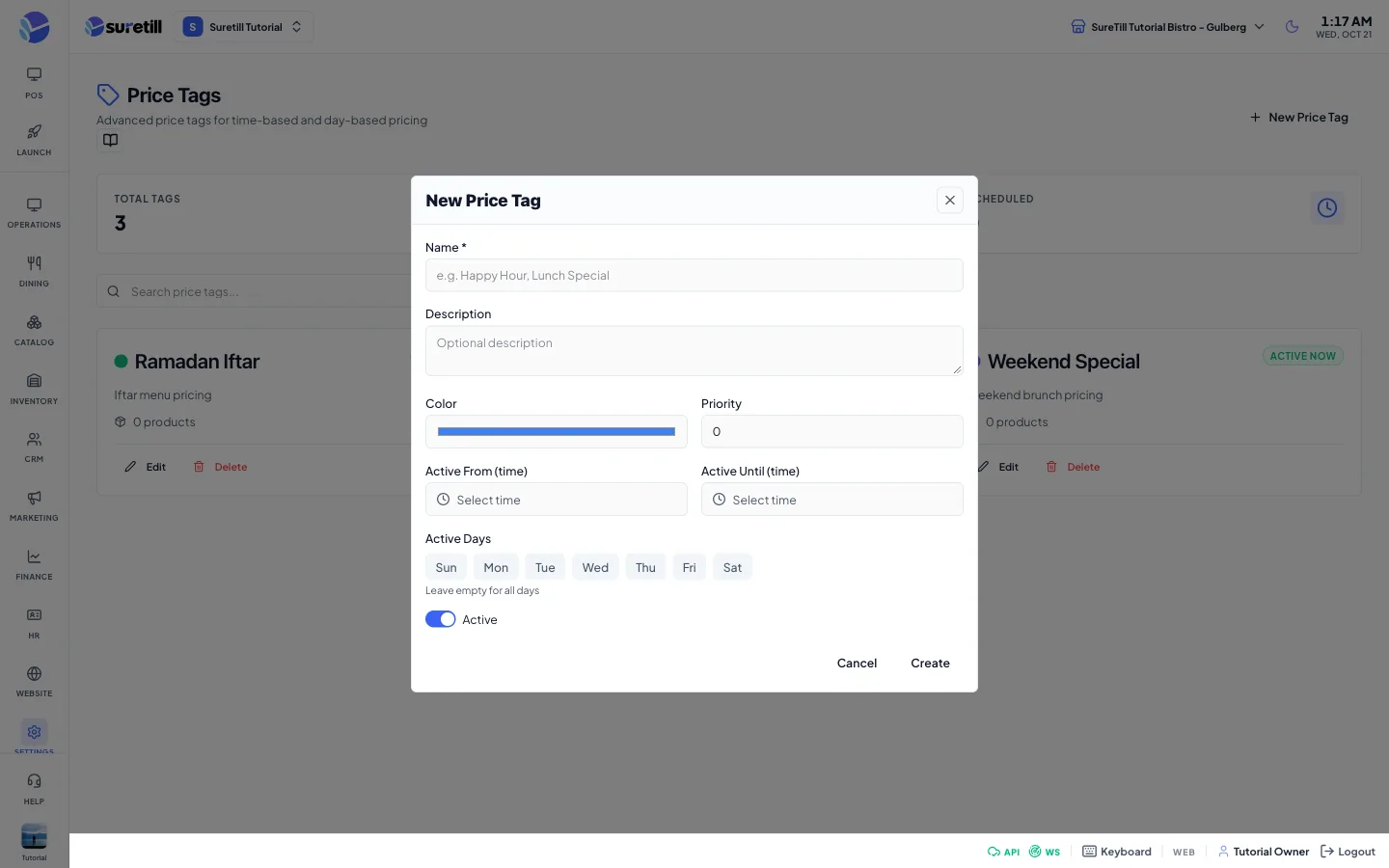
Section titled “Step by step: create a price tag”- Open Settings > Price Tags and click New Price Tag.
- Type the Name, for example Happy Hour. It is required.
- Optional: add a Description.
- Pick a Color and set the Priority. A higher priority is listed first.
- Set Active From and Active Until if the tag runs only at certain times.
- Tap the days it runs under Active Days. Leave them all off for every day.
- Leave Active on and click Create.
Step by step: edit or delete
Section titled “Step by step: edit or delete”- Click Edit on the card, change the form and click Update.
- Click Delete and confirm the question to remove the tag.
How the status badge works
Section titled “How the status badge works”- Active Now: the tag is switched on, the current time is inside the time window, and today is one of the chosen days.
- Scheduled: the tag is switched on, but it is outside its time window or today is not one of its days.
- Inactive: the Active switch is off.
Times are in hours and minutes (24-hour clock). If you set only Active From, the card shows Active Until as 23:59. If you set only Active Until, it shows 00:00 as the start.
Every setting explained
Section titled “Every setting explained”| Setting | What it does |
|---|---|
| Total Tags | How many tags exist. |
| Active Now | Tags that are in force at this moment. |
| Scheduled | Tags that have a time window set. |
| Search price tags | Filters the list by name. |
| Name | The tag name. Required, up to 255 characters. A short web name (slug) is made from it. |
| Description | Optional note. |
| Color | The colour dot on the card. |
| Priority | A whole number, 0 or more. Higher numbers are listed first. |
| Active From (time), Active Until (time) | The time window, as hours and minutes. |
| Active Days | Sun to Sat. Empty means all days. |
| Active | Switch the tag on or off. |
| Products count | The number of products that have a price set for this tag. |