

Discounts
Where: Marketing > Discounts
Who can use it: Permission: marketing.manage_discounts, marketing.view or manage marketing. Not available on SureScreen (menu board only) plans.
Open this page in SureTill
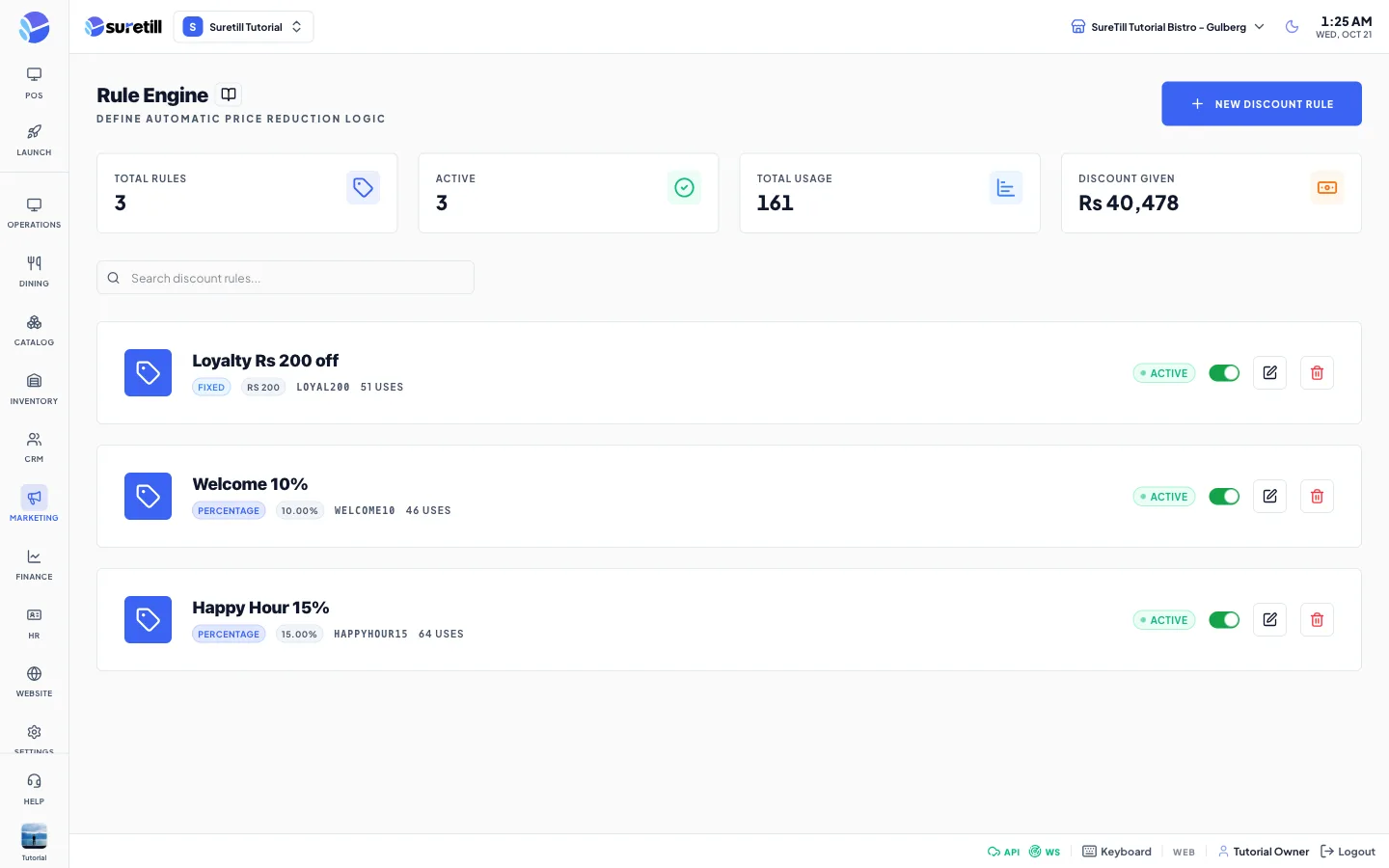
A discount rule describes a price reduction: its type, its value, the lowest order it applies to, a cap on how much it can take off, and how many times it can be used. Each rule also has a code. The page lists your rules and lets you switch them on and off.
Step by step
Section titled “Step by step”Create a rule
Section titled “Create a rule”- Open Marketing > Discounts and click New Discount Rule.
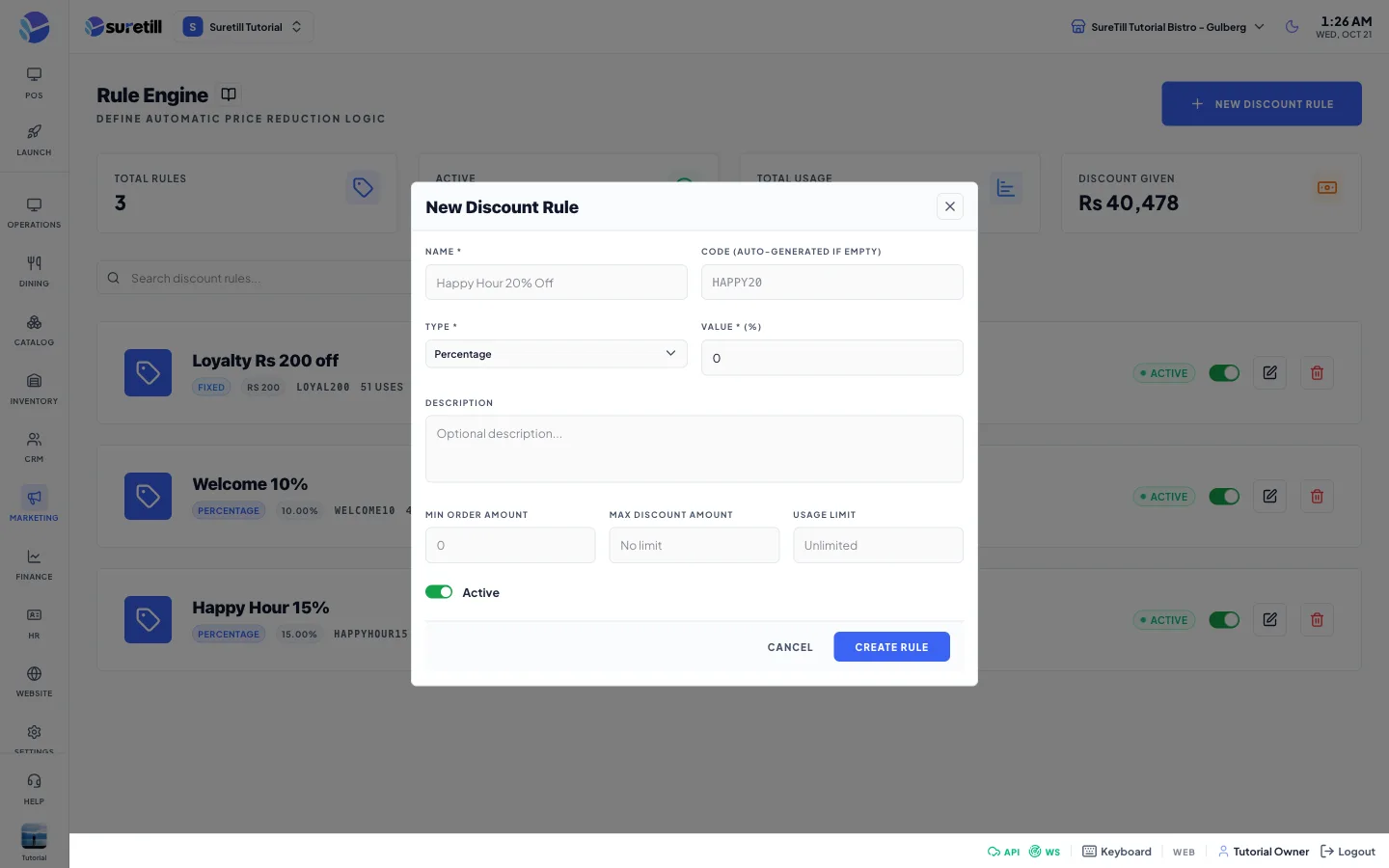
- Type the Name, for example Happy Hour 20% Off.
- Leave Code empty to get a random 8 character code, or type your own. Codes are made capital letters and must be unique.
- Pick the Type and type the Value.
- Add a Description, Min Order Amount, Max Discount Amount and Usage Limit if you need them.
- Leave Active switched on and click Create Rule.
Edit, switch off or delete a rule
Section titled “Edit, switch off or delete a rule”- Click the pencil button to edit the rule and click Update Rule.
- Use the switch on the card to turn the rule on or off.
- Click the red bin button and confirm Delete Discount to remove it. This cannot be undone.
Every setting explained
Section titled “Every setting explained”| Setting | What it does |
|---|---|
| Total Rules card | Number of rules. |
| Active card | Rules that are on and not past their end date. |
| Total Usage card | Number of recorded uses of all rules. |
| Discount Given card | Total money recorded as discounted. |
| Search box | Searches by name or code. |
| Name | Required. Up to 255 characters. |
| Code | Optional. Up to 50 characters, unique. A random code is made when empty. |
| Type | Percentage, Fixed Amount, Buy X Get Y or Free Item. |
| Value | Required. Number, 0 or more. A percent for Percentage, a money amount for the others. The label shows your currency symbol. |
| Description | Free text for your staff. |
| Min Order Amount | Lowest order amount the rule is meant for. Empty means none. |
| Max Discount Amount | Most the rule may take off. Empty means no limit. |
| Usage Limit | How many times the rule may be used. 1 or more. Empty means unlimited. |
| Active switch | Turns the rule on or off. |
| Card badges | The type, the value, the code, the uses (for example 4/50 uses) and Active or Disabled. |