

Cash Drawer
Where: Operations > Cash Drawer
Who can use it: Permission pos.cash_drawer or pos.open_drawer.
Open this page in SureTill
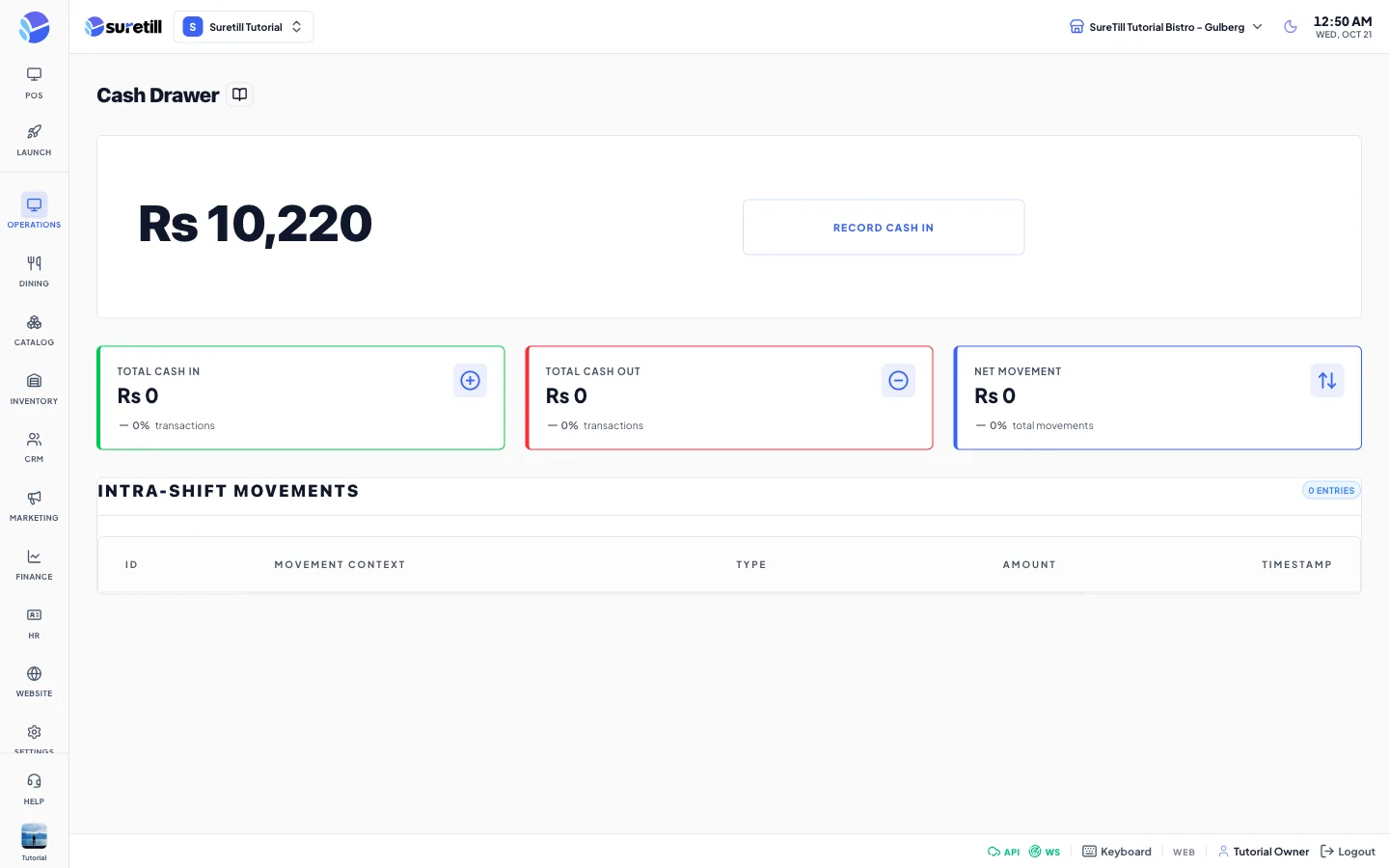
The Cash Drawer page gives a quick view of how much cash should be in the drawer right now. The number comes from the open work period and is the same expected cash that the Work Periods report uses.
Step by step
Section titled “Step by step”Check the expected cash
Section titled “Check the expected cash”- Open Operations > Cash Drawer.
- Read the large figure under “Authenticated Drawer Balance”. It equals the opening cash plus cash payments minus cash refunds in the current work period.
- If there is no open work period, the figure is zero.
Open the drawer for a sale
Section titled “Open the drawer for a sale”- On the POS terminal tap Pay.
- Tap Open drawer. You see “Cash drawer opened”. The button needs pos.open_drawer or pos.no_sale.
- Or switch on “Open Drawer On Cash” in the branch settings so every cash payment opens the drawer.
Every setting explained
Section titled “Every setting explained”| Setting | What it does |
|---|---|
| Authenticated Drawer Balance | The expected cash of the open work period. |
| Record Cash In (button) | Opens a form “Record Cash In” with an amount box and a box for the specific reason for the entry. The form does not save yet. |
| Record Cash Out (button) | The same form for money taken out. It does not save yet. |
| Discard, Commit Log | Close the form. Neither saves anything in this version. |
| Total Cash In | Sum of Cash In entries. Stays zero because entries are not saved. |
| Total Cash Out | Sum of Cash Out entries. Stays zero. |
| Net Movement | Cash In minus Cash Out, with the number of movements. |
| Intra-Shift Movements | A table with ID, Movement Context, Type, Amount and Timestamp. It is empty in this version. |