

Analytics
Where: Finance > Analytics
Who can use it: Permission: reports.view or view reports.
Open this page in SureTill
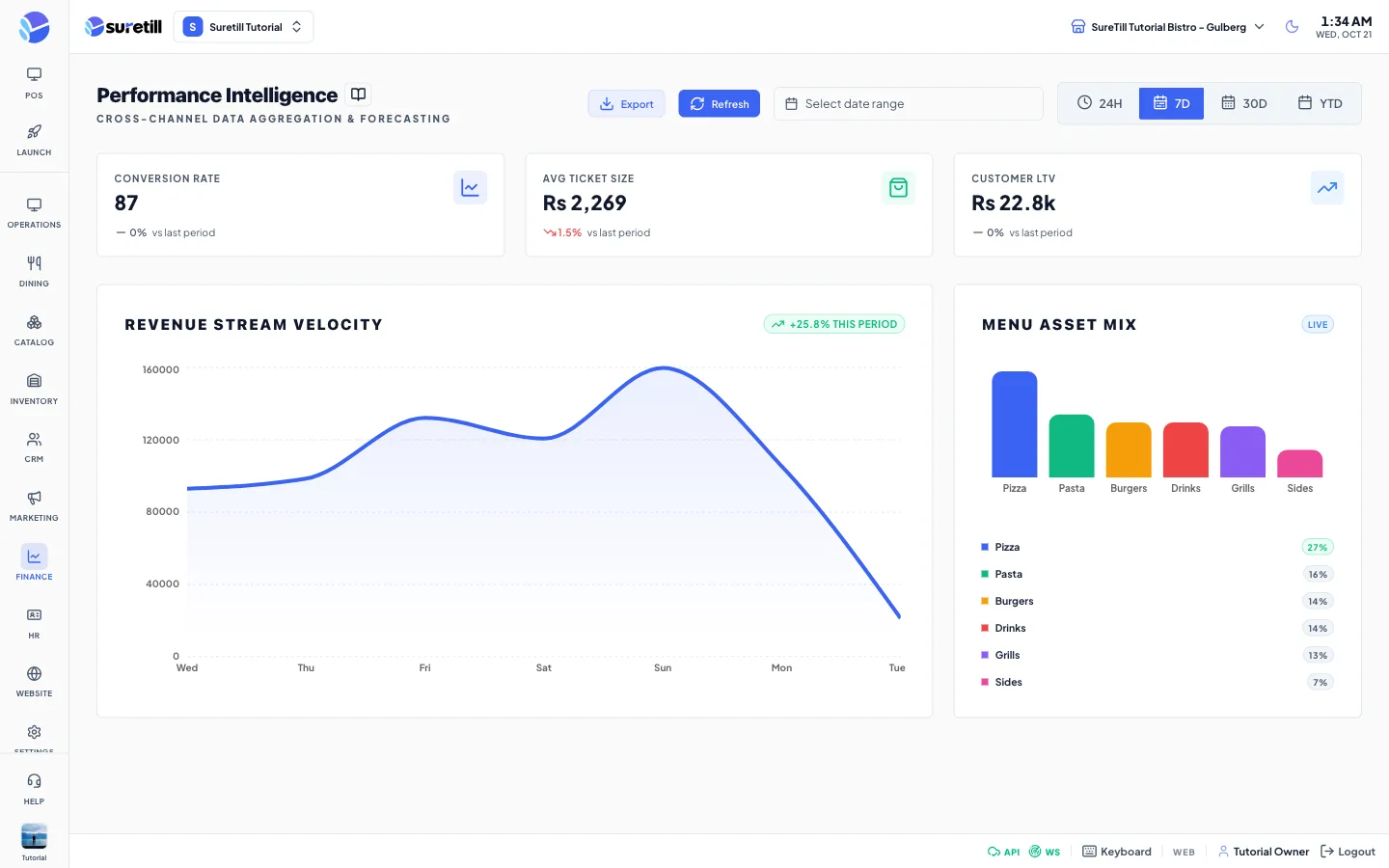
Use Analytics to see how a period compares with the one before it, and which categories bring in the money. It reads only orders whose payment status is Paid for the branch you have selected.
Step by step
Section titled “Step by step”Choose the period
Section titled “Choose the period”- Open Finance > Analytics.
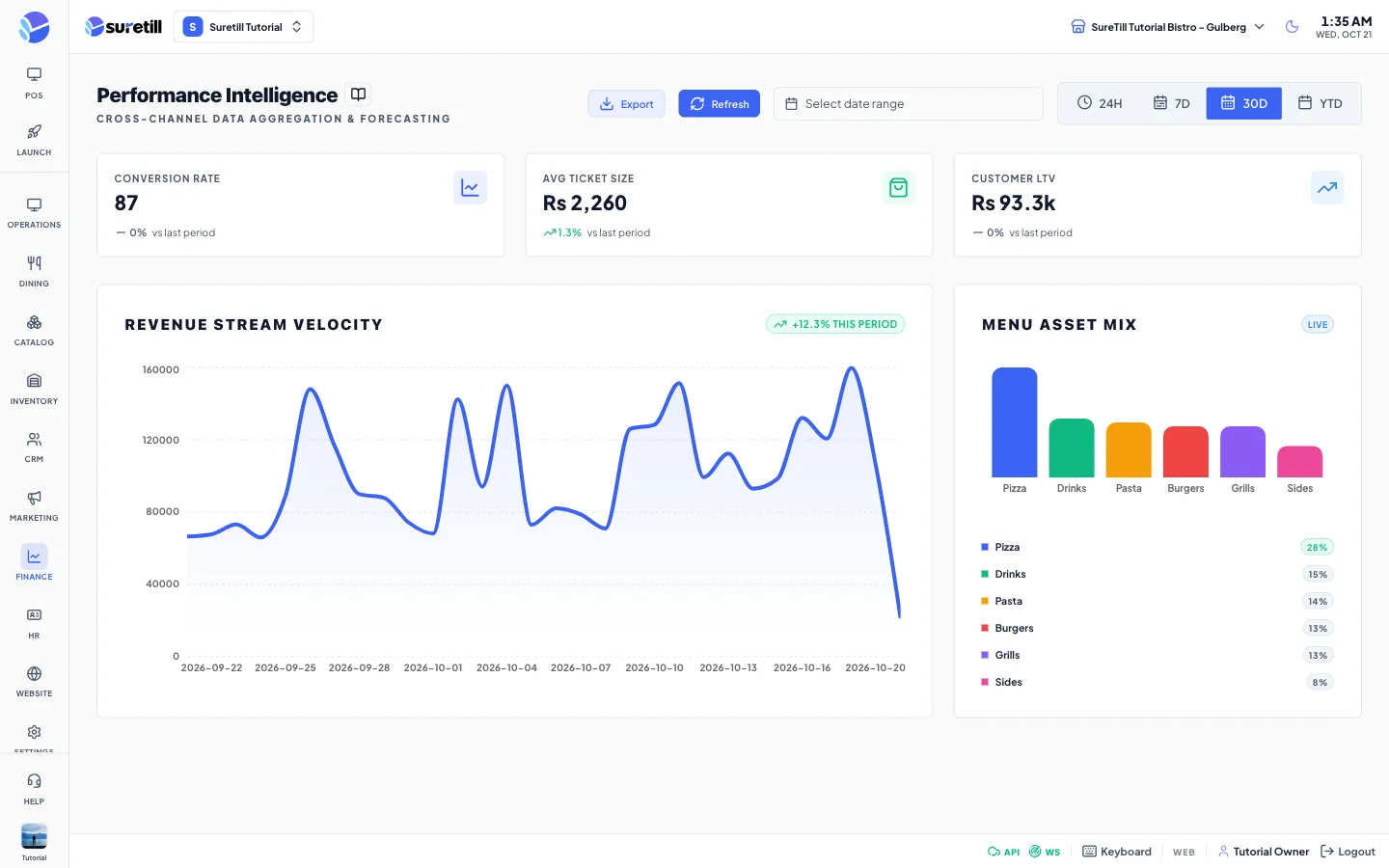
- Click one of the quick periods at the right: 24H, 7D, 30D or YTD.
- Or pick a start and end date in the date range box. When both dates are set they replace the quick period.
- Wait for the cards and charts to reload.
Download the data
Section titled “Download the data”- Click Export. A file called analytics_export.csv is saved with the raw values the page received.
- Click Refresh to load the figures again.
Every setting explained
Section titled “Every setting explained”| Setting | What it does |
|---|---|
| 24H | From yesterday to today. |
| 7D (default) | The last 7 days. |
| 30D | The last 30 days. |
| YTD | From 1 January of this year to today. |
| Date range box | A custom start and end date. Overrides the quick period when both are filled. |
| Refresh | Loads the data again. |
| Export | Saves the received values as a CSV file with two columns, Metric and Value. Lists are written in one cell. |
| Conversion Rate | The percent of your saved customers who placed at least one paid order in the period. |
| Avg Ticket Size | Paid revenue divided by the number of paid orders, rounded to a whole number. The trend arrow compares it with the previous period. |
| Customer LTV | Paid revenue of the period divided by the number of customers who ordered. Shown in thousands, for example 1.2k. |
| Revenue Stream Velocity | An area chart with one point per day of paid revenue. For 7 days or fewer the points are labelled with the weekday. The badge shows the change between the first half and the second half of the plotted days. |
| Menu Asset Mix | Bars and a list of the top 6 categories by share of paid item sales, as a percent. Items without a category are grouped as Uncategorized. |
| Live badge | A label on the mix chart. It does not mean the page refreshes by itself. |