

Waitlist
Where: Dining > Waitlist
Who can use it: Permission: waitlist.view, reservations.view or manage tables.
Open this page in SureTill
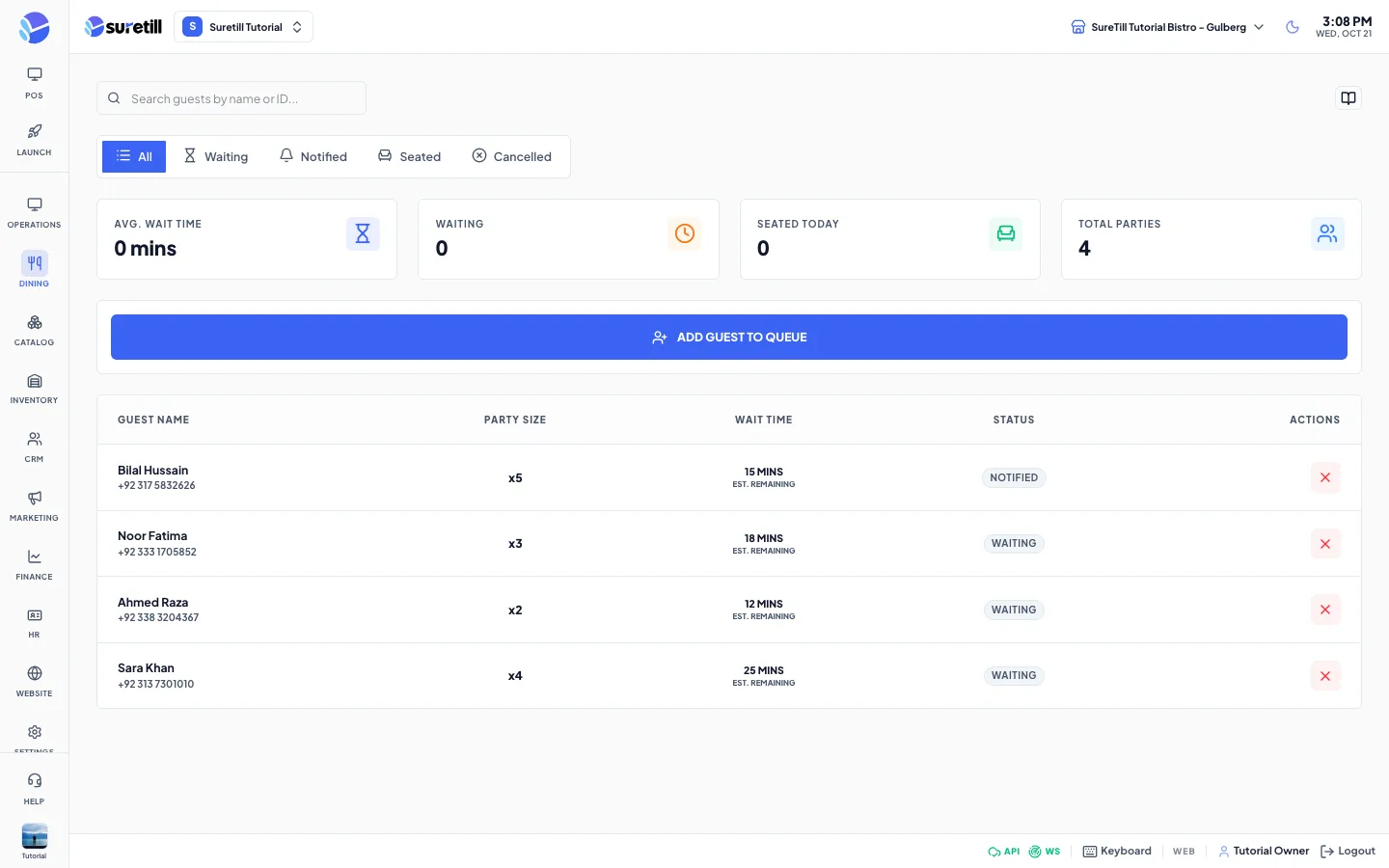
The Waitlist is a live queue for today. Guests are listed in the order they joined. The page refreshes by itself every 15 seconds, so the host stand and the manager see the same queue.
A guest goes through these steps: Waiting, then Notified, then Seated. A guest can also be Cancelled. Seated, cancelled and no-show guests stay on the page for the rest of the day, in the All tab and in their own tab. The list shows today only.
Step by step
Section titled “Step by step”Add a guest to the queue
Section titled “Add a guest to the queue”- Click ADD GUEST TO QUEUE.
- Type the Guest Name. It is required.
- Set the Party Size (at least 1).
- Enter a Phone number if you have one.
- Add Notes such as a high chair or a window table.
- Click Add to Queue.
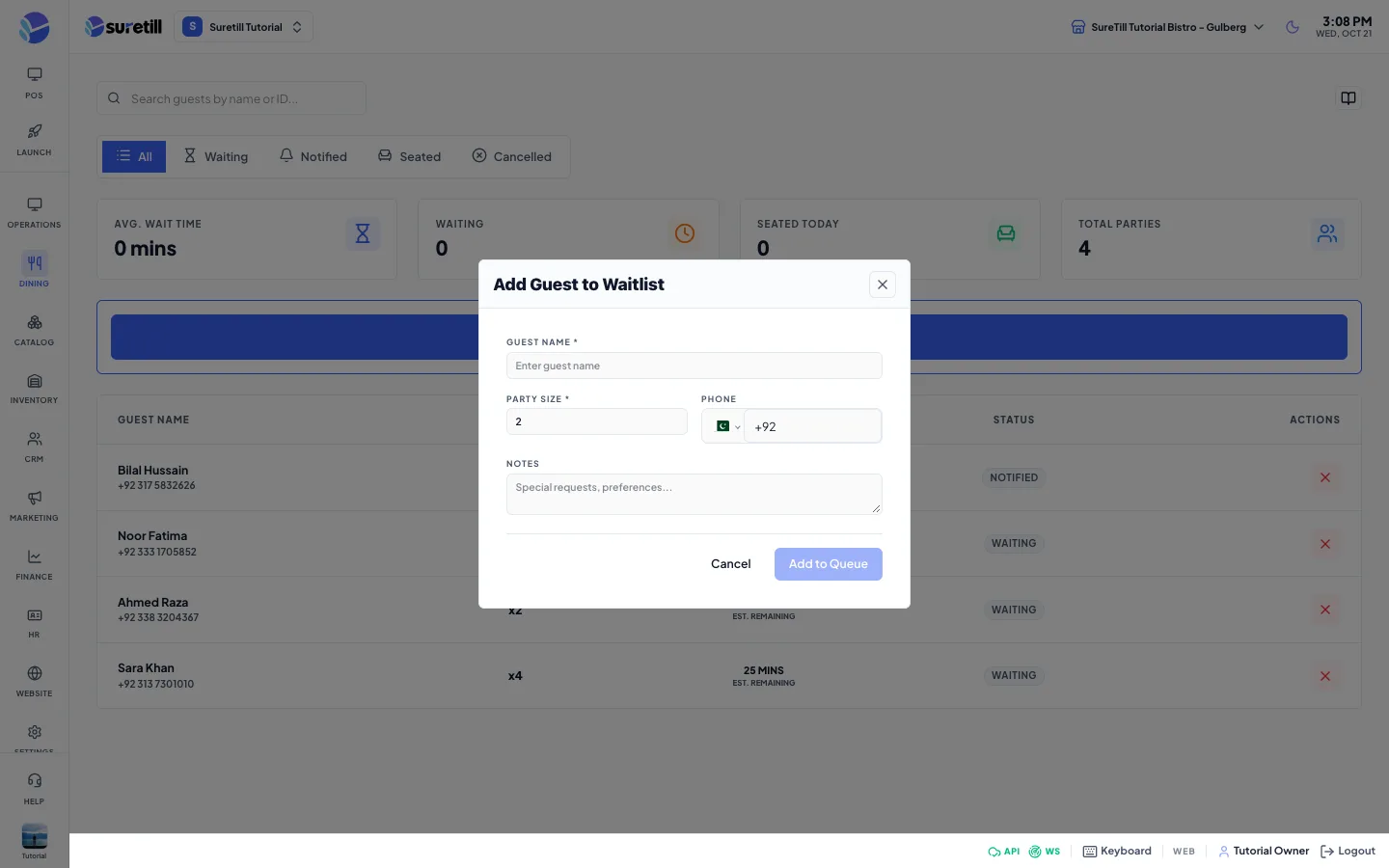
The system gives each guest an estimated wait. It starts at 10 minutes and adds 5 minutes for every party already in the queue, up to 120 minutes.
Call the guest and seat them
Section titled “Call the guest and seat them”- When a table is ready, click NOTIFY on the guest row. The status changes to Notified.
- When the guest sits down, click SEAT GUEST.
- If the guest leaves, click the X button to cancel the entry.
Find a guest
Section titled “Find a guest”- Type in the search box. It matches the guest name or the reference code.
- Use the tabs All, Waiting, Notified, Seated and Cancelled to filter by status.
Every setting explained
Section titled “Every setting explained”| Setting | What it does |
|---|---|
| Search guests | Filters the list by name or reference. Has a clear button. |
| Status tabs | All, Waiting, Notified, Seated, Cancelled. |
| Avg. Wait Time card | Average of the estimated waits of the guests still waiting, in minutes. |
| Waiting card | Number of guests with the status Waiting. |
| Seated Today card | Number of guests seated today. |
| Total Parties card | Number of rows after the search and tab are applied. |
| Guest Name column | Name, with the phone number or a short reference under it. |
| Party Size column | Shown as x and the number of guests. |
| Wait Time column | The estimated minutes. At 5 minutes or less the number turns red and pulses. |
| Status column | Waiting, Notified, Seated, Cancelled or No show. |
| NOTIFY | Shown for Waiting guests. Marks the guest as Notified and records the time. |
| SEAT GUEST | Shown for Waiting and Notified guests. Marks the guest as Seated. |
| X button | Shown for guests that are not yet seated or cancelled. Cancels the entry. |
| Guest Name (form) | Required. Up to 255 characters. |
| Party Size (form) | Required. 1 to 100. Default 2. |
| Phone (form) | Optional. |
| Notes (form) | Optional. Up to 500 characters. |
The server also supports an email address, a table preference and a manual estimated wait for each entry. The form on this page does not ask for them.