
Digital menu boards that update themselves
Design a menu board in the browser with layers, fonts, animations and GIFs, and show it on any TV. Names and prices come live from your products, so changing a price in SureTill changes it on the screen.
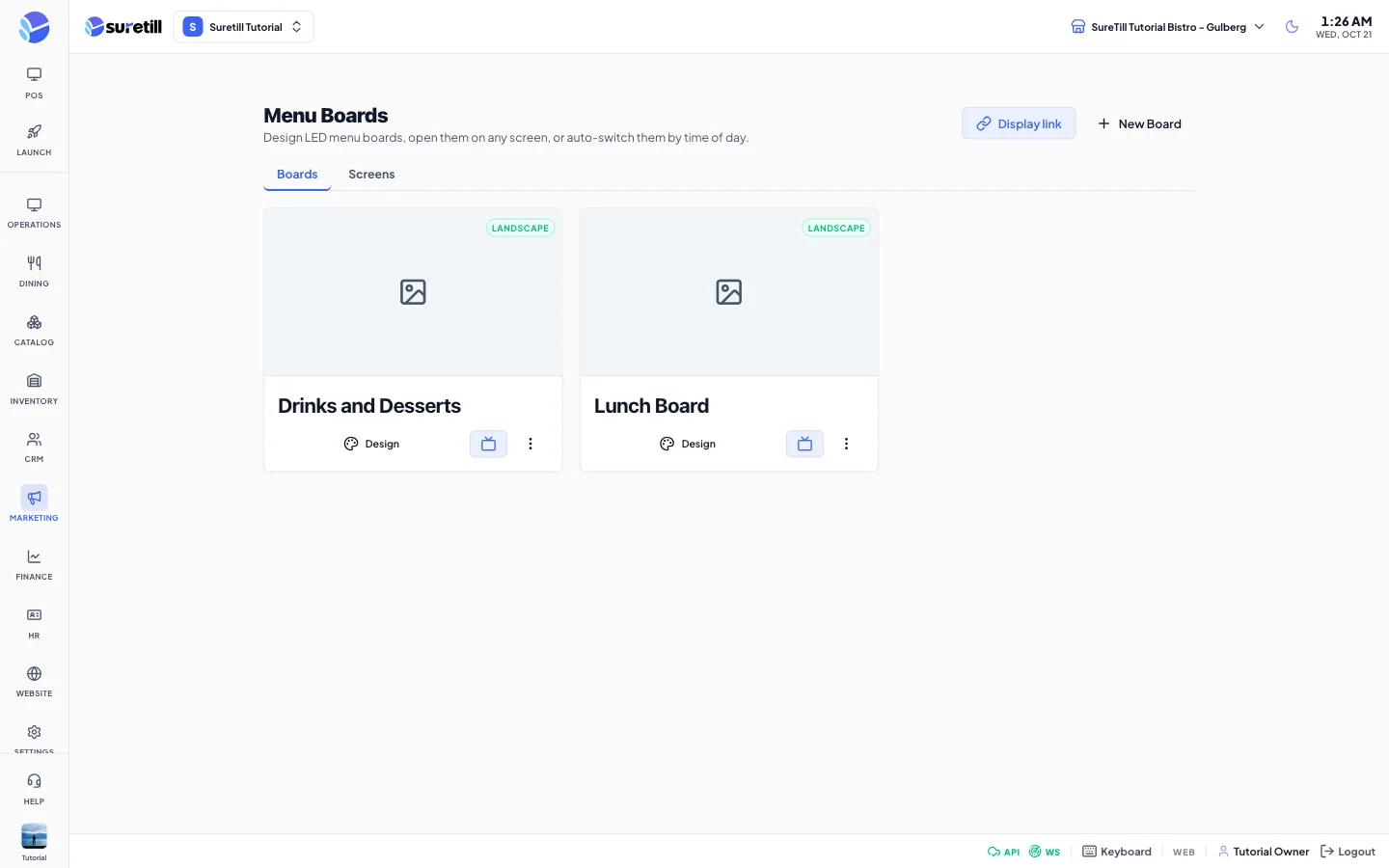
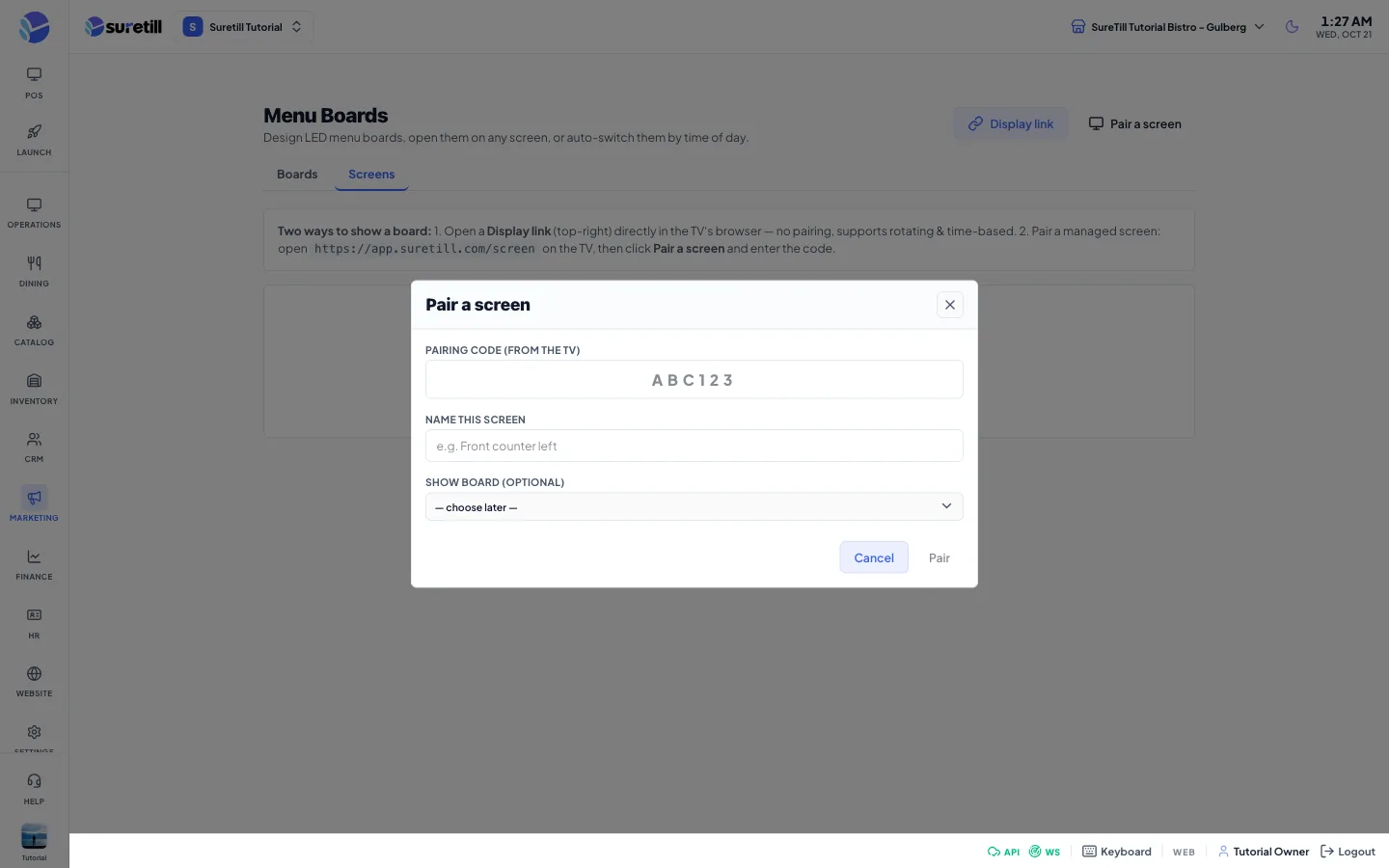
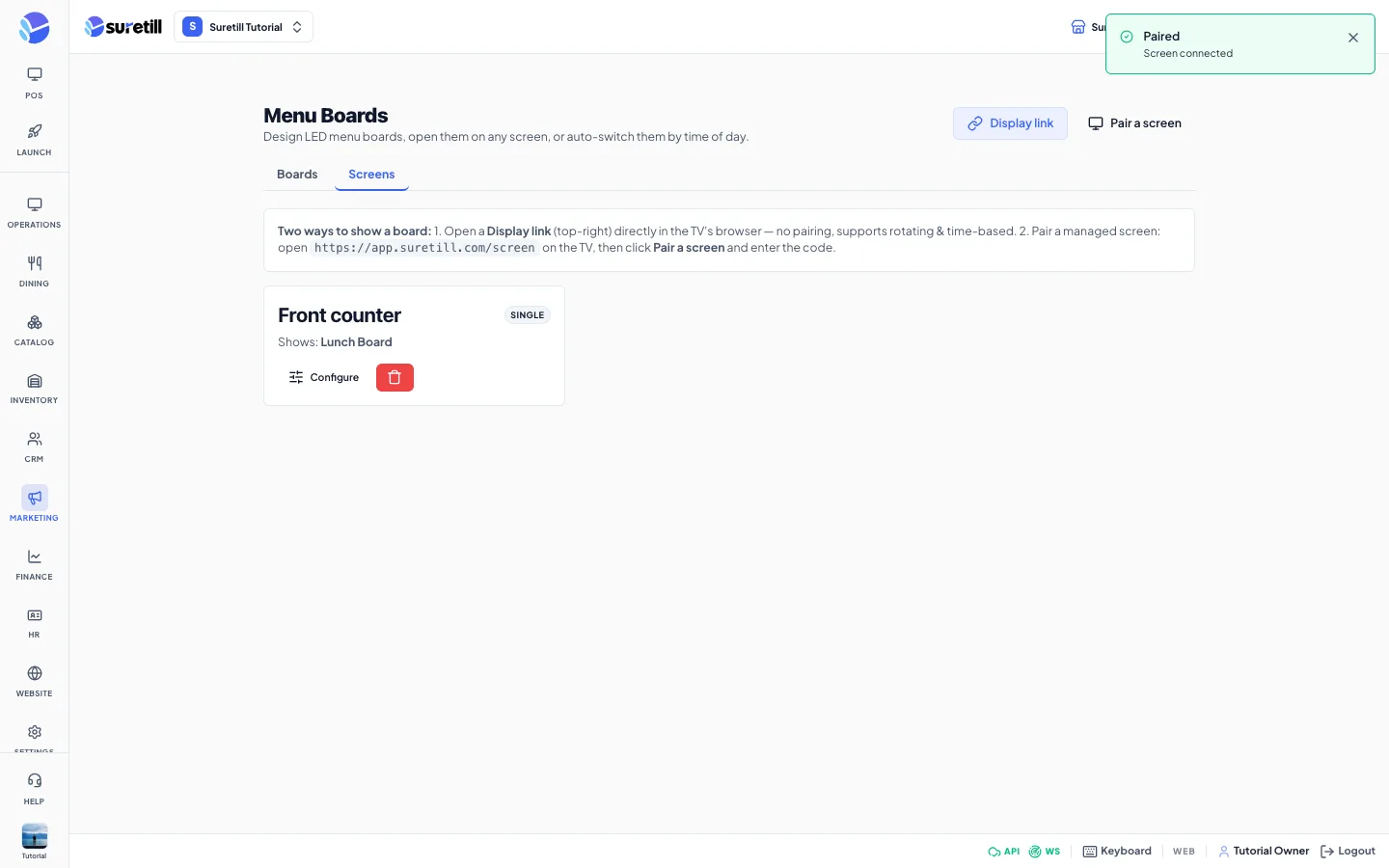
The designer works in layers, like a poster tool: a background picture, text with fonts and animations, shapes, GIF stickers, and live price and name tags that are bound to your products. Because the tags are live, a price changed in the POS changes on every TV within moments.
Boards can show on one screen, rotate as a playlist, or switch by time of day. Each TV runs the free SureScreen app on Android TV or a Samsung TV, pairs once with a code, and keeps showing the last board it loaded if the internet blips.
SureScreen, in practice
Price and name tags are bound to your products, so the board matches the till.
Layers, text styles, shapes, animations and GIF stickers. Start from your own photo or poster.
Show one board, rotate several, or switch them by time of day, for example breakfast and dinner.
Install the SureScreen app on an Android TV or Samsung TV and pair it with a code. No cables or media players.
Four steps
- 01Design the board
Add a background, then drop price and name tags onto your items.
- 02Install the TV app
Open SureScreen on the TV and read the pairing code.
- 03Pair and assign
Enter the code in SureTill and choose which board the TV shows.
- 04Change a price once
Edit the product and every screen updates.
Step-by-step guides: Menu Boards, SureScreen TV App, Devices and Terminals.
Which TVs work?
Android TV and Samsung (Tizen) TVs have an app. Anything with a web browser can also open the board link.
Can I use only boards, without the POS?
Yes. SureScreen plans are available for restaurants that only want menu boards.
Does it need the internet?
The TV loads the board from the cloud, so it needs a connection to update. It keeps showing the last board it loaded.
See SureScreen running on a real restaurant.
Open the live demo and click through it yourself, or book a 30-minute appointment and we set it up for your menu while you watch.