
A kitchen screen your cooks actually follow
Orders show in three columns. Cooks start, finish and bump tickets, and a sound plays when a new one arrives. A second big screen shows customers which numbers are preparing and ready to collect.
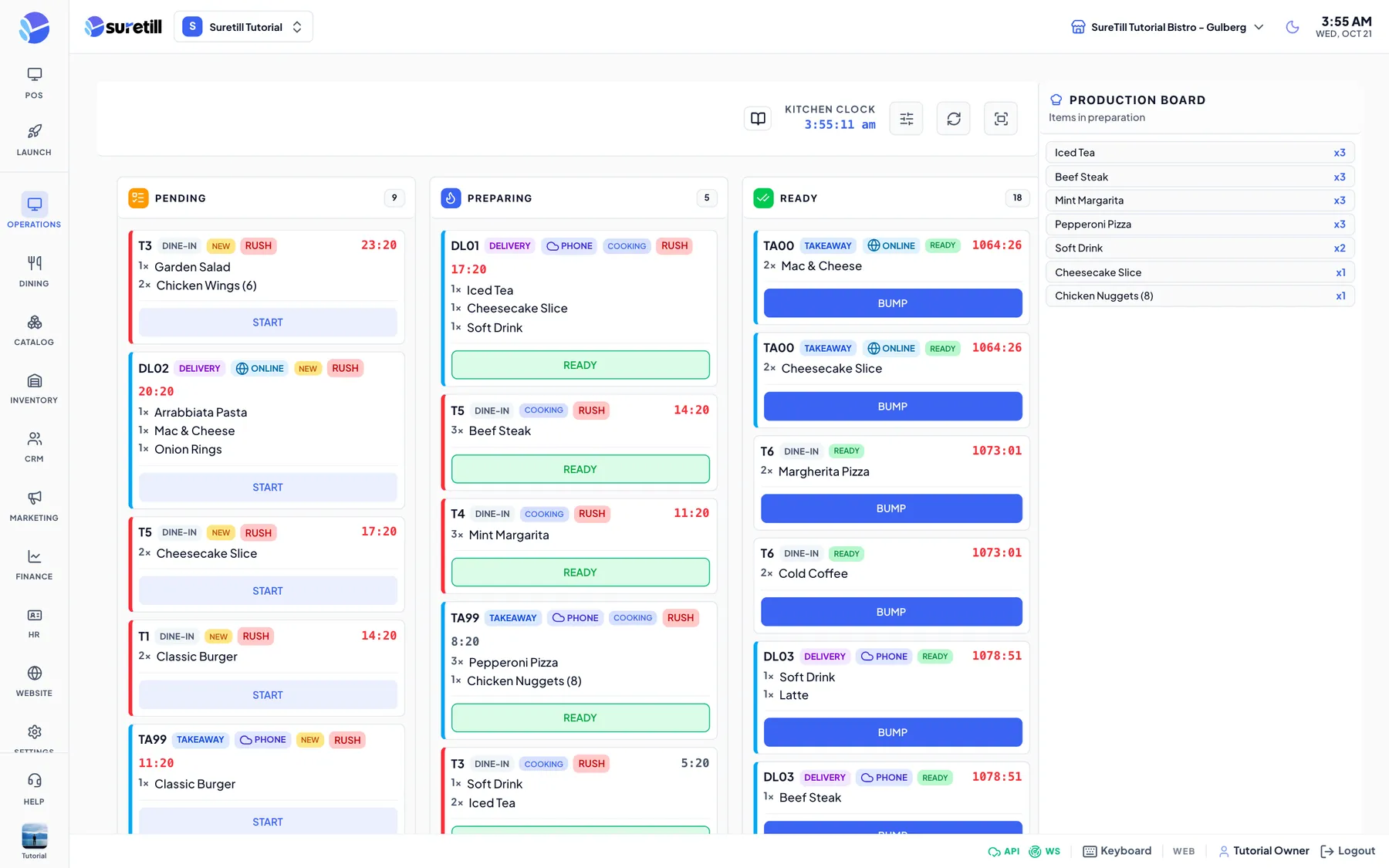
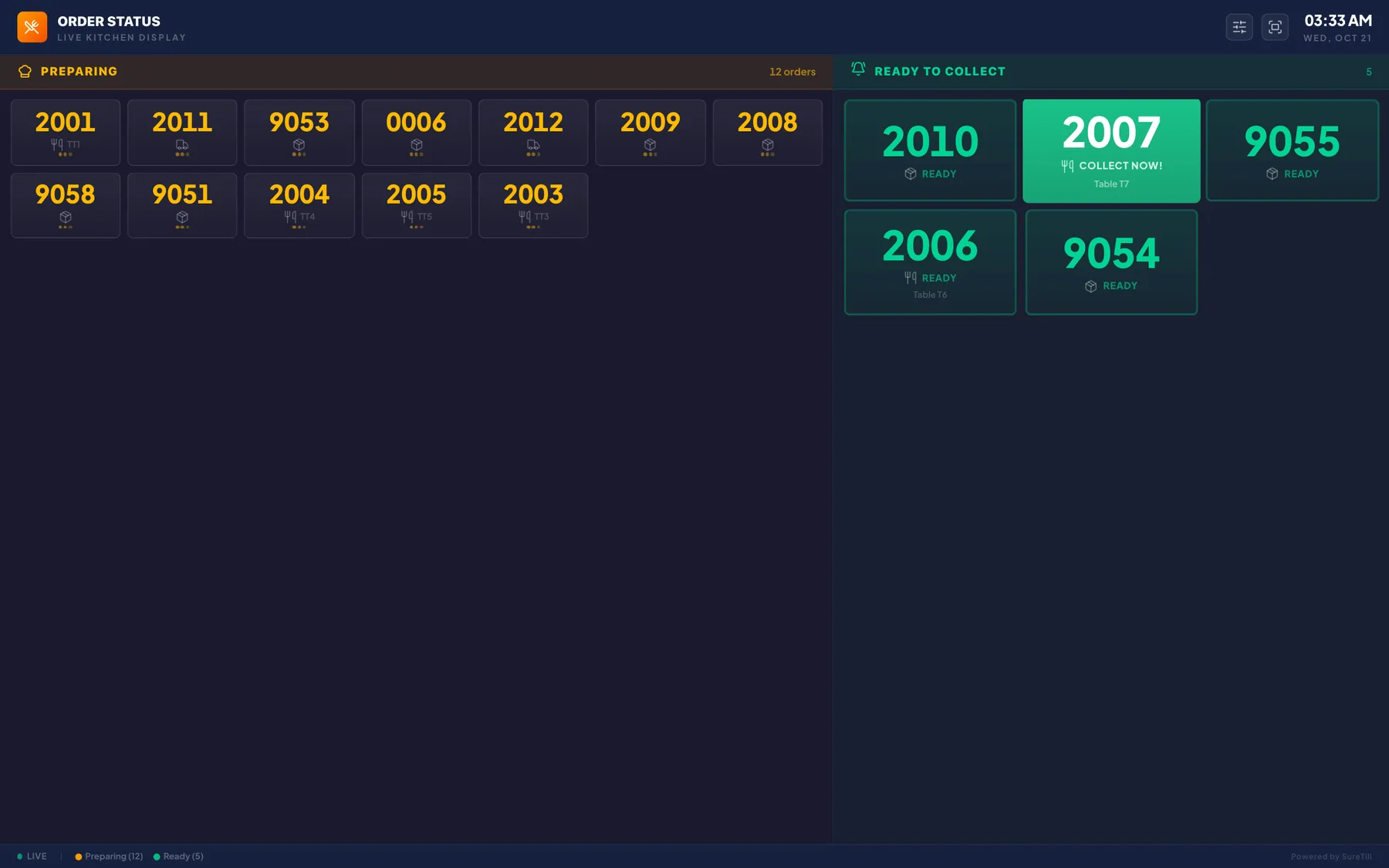
The kitchen display shows every order from every channel in three columns: pending, preparing and ready. Cooks tap Start, then Ready, then Bump. Rush orders are flagged, a sound plays for a new ticket, and a production board adds up how many of each dish are in the pan right now.
For the customer side, the order status screen is a big display for the counter or dining room. Order numbers sit under Preparing until the kitchen marks them ready, then they jump to Ready to collect with a chime.
Kitchen display, in practice
Dine-in, takeaway, website, QR and delivery orders land together.
Route each category to its own station or printer.
A counter display for customers, with a chime when an order is ready.
Recipes deduct ingredients as dishes are made.
Four steps
- 01Register the screen
Pair a tablet or monitor as a kitchen device.
- 02Orders arrive
New tickets sound and appear in the first column.
- 03Cook and bump
Start, finish and bump tickets as the food goes out.
- 04Customers see it
The status screen moves the number to Ready.
Step-by-step guides: Kitchen Display (KDS), Order Status Screen for customers, Printers.
Can I still print kitchen tickets?
Yes. Use printers, screens or both.
What happens if the internet drops?
The POS keeps working offline. See the offline mode guide for what waits until you are back online.
See Kitchen display running on a real restaurant.
Open the live demo and click through it yourself, or book a 30-minute appointment and we set it up for your menu while you watch.