
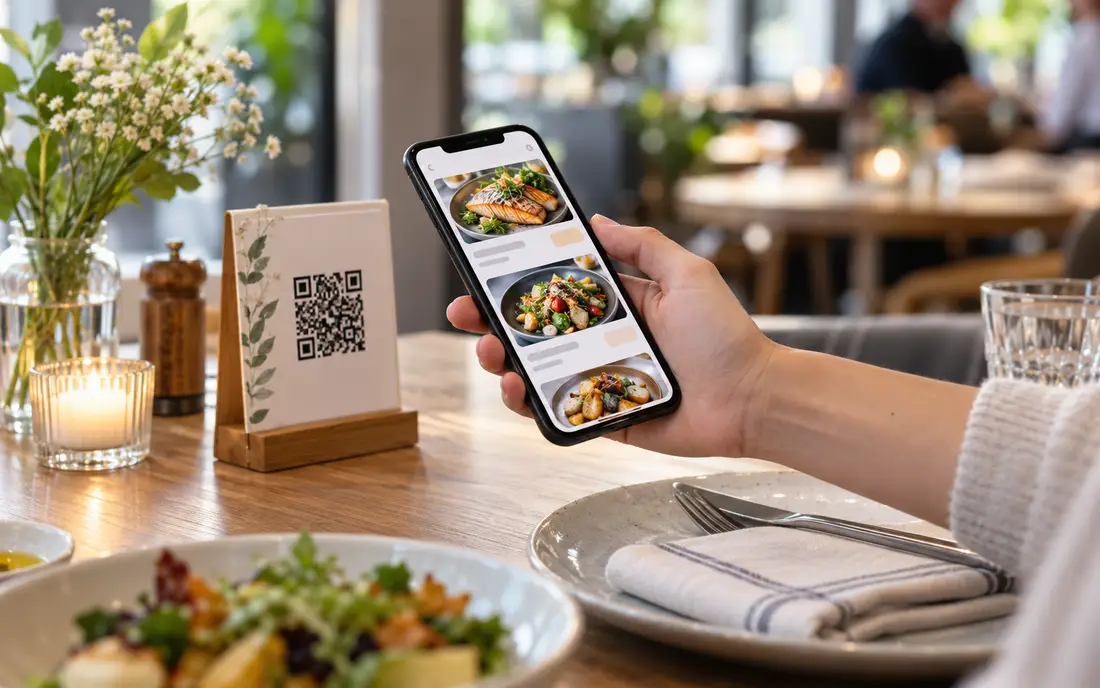
Almost every restaurant tried a QR code menu at some point in the last few years, and a lot of them quietly went back to paper. Usually because the QR code opened a slow PDF that pinched-and-zoomed badly on a phone, and ordered nothing. That is a shame, because a QR code menu ordering system done properly is genuinely useful, the trick is that it has to be part of your POS, not a separate gimmick taped to the table.
What a QR code menu ordering system is
At its simplest, a QR code menu is a printed code, on the table, the receipt, or a stand, that a guest scans with their phone to open your menu in a web page. No app to download, no login; it opens in the browser they already have. A QR code ordering system goes one step further: the guest doesn't just read the menu, they place the order themselves from that page, and it lands in your restaurant's system.
The word "system" is doing real work in that sentence. A menu image behind a QR code is a leaflet. A QR code menu ordering system is connected to your point of sale, so what the guest taps becomes a live order with a table number, feeds the kitchen, and gets billed and reported like any other sale. That connection is the whole point.
Menu-only vs full ordering
There are two levels, and it is worth deciding which you actually want. A view-only QR menu just shows the menu on the phone, useful, contactless, easy to keep up to date, and enough for many sit-down places that still want a server to take the order. Full QR ordering lets the guest send the order themselves, which shines at busy periods, for re-orders ("another two teas"), and in cafe or lounge settings where table service is light.
Neither is automatically better. A fine-dining room may want menu-only; a busy cafe or a lounge may want full self-ordering; many restaurants run both, self-order for drinks and re-orders, server for the first food order. With SureTill the same menu drives both, so you are not maintaining two lists.
Because the QR menu is the same catalogue as your counter POS, a price change or a sold-out item updates everywhere at once, table codes, takeaway, counter. No reprinting, no "sorry, that's off today" after the guest has already ordered it.
Why it must flow to the kitchen
This is where most bolt-on QR systems fall down. A guest scans, orders, and… a member of staff gets a notification on some other screen and re-types the order into the POS. You have added a step, not removed one. Worse, you have added a place for mistakes.
A proper QR code ordering system puts the order into the same flow as everything else. With SureTill a QR order appears on the kitchen display and prints kitchen tickets routed by station, exactly like a server-taken order, nobody re-keys anything. It deducts recipe ingredients at kitchen-send like any order, as covered on our inventory page, and it is billed like any other order. The guest's tap and the kitchen's screen are the same event.
The real benefits
- Faster re-orders, guests top up drinks and sides without flagging a server
- Fewer order-taking errors, because the guest chooses the exact item and modifiers
- Instant menu updates, change a price or 86 a dish and it's live everywhere
- Less pressure on staff at peak, since simple orders self-serve
- A contactless, in-language option, the menu can display Urdu, Arabic or English
- No app friction, it opens in the phone's browser
The honest framing is that a QR menu is a lever, not a revolution. It won't replace good service, and in some rooms you won't want it to. But at the right times and in the right rooms it removes friction for the guest and takes routine work off your floor staff, which is exactly what you want technology to do.
How to set one up, step by step
Items, prices, modifiers, photos and categories, clean and current. The QR menu is only as good as the catalogue behind it, and this is where the work actually is.
Per area if you like, self-order in the cafe and lounge, server-taken in the main dining room. Set the language options you want to show.
Each table gets its own QR so an order carries its table number automatically. Print them on durable stands or table cards, not a single flimsy sheet.
Place a test QR order and watch it appear on the KDS and print the right station ticket. This is the check that separates a real system from a leaflet.
Staff should know how a QR order shows up, how it merges with a table's existing bill, and what to tell a guest who prefers to order the old way. Ten minutes saves confusion on night one.
Mistakes to avoid
The classic one is the PDF menu, a scan that opens a document you have to zoom around. Use a real mobile page. The second is a disconnected system that makes staff re-key orders; if it doesn't reach the kitchen on its own, it is costing you time, not saving it. The third is forgetting the table number, so orders arrive with no idea where they go. And the fourth, quietly important in Pakistan: a QR order still has to survive an outage, so it belongs inside an offline-first POS rather than a separate cloud tool that dies when the internet does. You can see how the whole system fits together on our features page.
Book a free 30-minute demo. We'll scan a table code, order from a phone, and show it land on the kitchen display, deduct stock and print a compliant bill, all in one flow.
Book a free demoFrequently asked
What is a QR code menu ordering system?
Each table has a QR code a guest scans to open the menu and, if you enable it, order themselves. The order flows into the same POS as your counter sales, appears on the kitchen display, and is billed like any other order.
Do customers need an app to order?
No. The QR code menu opens in the phone's normal web browser, no download, no login. The guest scans, browses, and orders from the page that opens.
Does a QR order go straight to the kitchen?
With SureTill, yes, it enters the same system as counter and server orders, so it shows on the kitchen display and prints station tickets with no one re-keying it, and it deducts recipe stock like any order.
Is a QR menu cheaper than printed menus?
Usually, over time, you update prices and items instantly instead of reprinting, and there are no laminated cards to replace. The bigger saving is staff time when guests self-order at busy periods.
General guidance for restaurant owners. Features described reflect SureTill QR menu and ordering as configured for restaurants and cafes.