
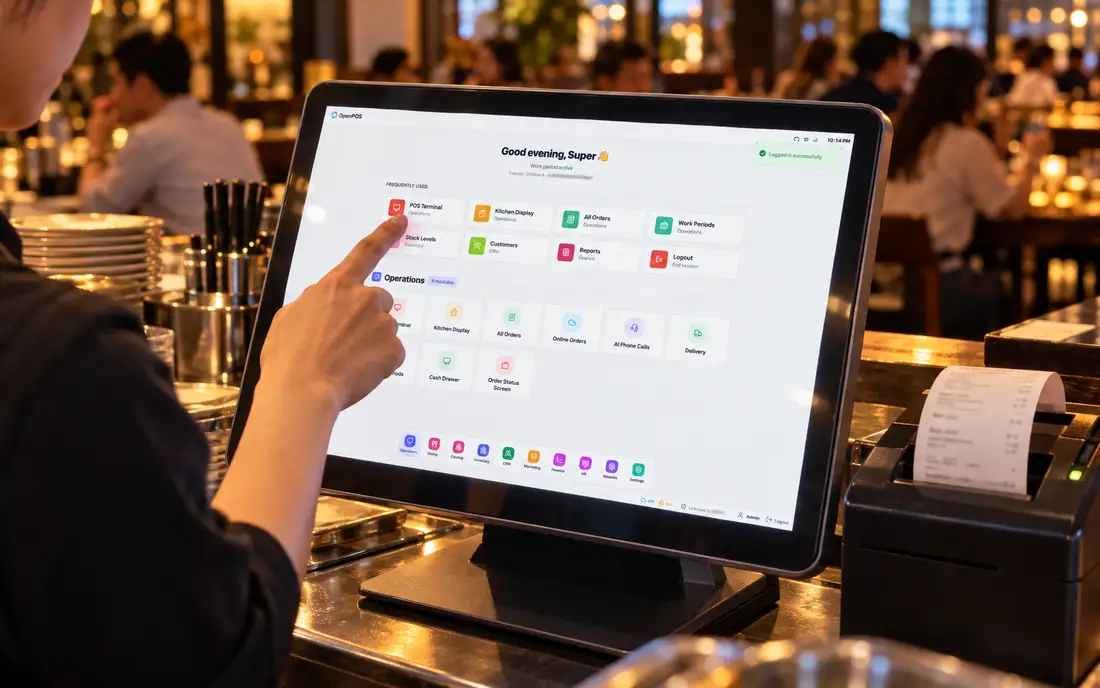
There is no single best POS software in Pakistan, because a busy dine-in restaurant in Lahore, a takeaway counter in Karachi and a general store all need different things. What there is, is a short list of criteria that separate software that survives a real Pakistani trading day from software that looks good in a demo and falls over on a Saturday night. Get those right and the shortlist writes itself.
Why "best" depends on where you are
One condition shapes every buying decision here, and it never shows up in international reviews: power and connectivity. Load-shedding and internet drops are routine, so any POS that stops billing when the connection stops is unusable for a floor with customers waiting.
Add the everyday realities, staff who read Urdu faster than English, customers who buy on udhaar, thermal printers you already own, and the "best" POS becomes whichever one handles those without a fight. Feature lists are easy to pad; these constraints are hard to fake.
The six criteria that matter
Rank a shortlist against these, in roughly this order, and you will usually land on the right answer for your own counter.
The single most important test. The software should run on the terminal itself so sales, printing and tables keep working through an outage, then sync when the connection returns. Ask for a live demo with the router unplugged, the good ones welcome it. See how offline-first POS is meant to behave.
Urdu, Arabic or English on the receipt template and on the staff screen. If your counter staff can read it, they make fewer mistakes and need less training.
Dine-in with tables, takeaway, delivery, or counter retail each need different flows. A restaurant also wants a kitchen display and modifiers; a shop wants fast barcode scanning.
For food, that means recipes and deduct-at-kitchen-send so stock moves as dishes are made, not once a month. Our inventory & recipe engine is built around this.
Customer accounts, credit limits, wallet/advance, work periods and a cash-drawer count. This is where paper leaks money, so having it inside the POS matters.
Someone who answers the phone in your time zone, and a quote you can understand, hardware and setup included or clearly itemised. Be wary of any fixed price printed before anyone has seen your setup.
A scoring checklist you can take to any demo
Score each product you're considering out of the six rows below. Anything that fails the first row is not, for a Pakistani restaurant, the best POS software, whatever else it does well.
Restaurant, retail or cafe, the shortlist shifts
A dine-in restaurant weighs tables, a kitchen display and recipe inventory heavily, because service speed and food cost are where the money is won or lost. A restaurant POS should route orders to the kitchen, split and merge bills, and deduct ingredients as dishes are fired. A cafe leans on quick-serve flow and modifiers. A retail counter cares most about barcode speed and stock counts. The offline requirement is common to all of them, it is non-negotiable in Pakistan, but the rest of the weighting depends on how you serve.
This is also why generic "top 10 POS" lists translated from US sites mislead here. They rank on features that assume always-on internet. Score against the criteria above instead of a foreign listicle and you'll avoid the expensive mismatch of buying beautiful software that can't print a receipt when the line is down.
Where SureTill fits
We built SureTill because we ran a restaurant and needed all six of those criteria in one system. Its billing engine runs on a server inside your restaurant, so it keeps working through an outage and syncs to the optional cloud when the connection is back. It speaks Urdu, Arabic and English; it handles tables, takeaway, delivery, a kitchen display, recipe-level inventory, khata with credit limits and wallet, work periods and multi-branch reporting.
It isn't the right fit for everyone, and the honest way to find out is to test it against your own counter, outage included. That is why our demo is a working one, not a slideshow.
Book a thirty-minute demo and we'll pull the internet and keep billing while you watch. Bring your toughest questions and your current receipt.
Book a free demoFrequently asked
What is the best POS software in Pakistan?
The one that keeps billing during an outage, prints in a language your staff and customers read, and matches how you serve. For most restaurants that means offline-first software with thermal printing and a built-in khata ledger, judged on your own counter, not a brochure.
How much does POS software cost in Pakistan?
It varies with terminals, branches and features, and most vendors quote after a demo. Compare the total, hardware, setup, training and support, rather than the headline monthly figure. A free trial with no card and no contract lets you judge before you pay.
Can POS software really work offline here?
Yes. Offline-first software runs inside the restaurant, so billing and printing continue through load-shedding, then sync automatically once the connection returns.
This article is general buying guidance, not tax or legal advice.